| Version 13 (modified by , 3 years ago) ( diff ) |
|---|
Site Navigation
- COSMOS Testbed Overview
- Getting Started
- COSMOS/ORBIT User Guide
- COSMOS Portal
- Account Management
- Portal Dashboard
- Directory
- Disk Images
- Community Forum
- Getting Started with the COSMOS Portal
- SSH Access to Testbed Nodes
- Scheduler
- Testbed Status
- Installing Chrome Remote Desktop (CRD) on a Custom Image
- Tutorials
- Architecture
- Resources, Services and APIs
- Datasets
- Hardware Info
- RF Policies & Compliance
IBM 28GHz PAAM: Integration with USRPs with MIMO capability
Description
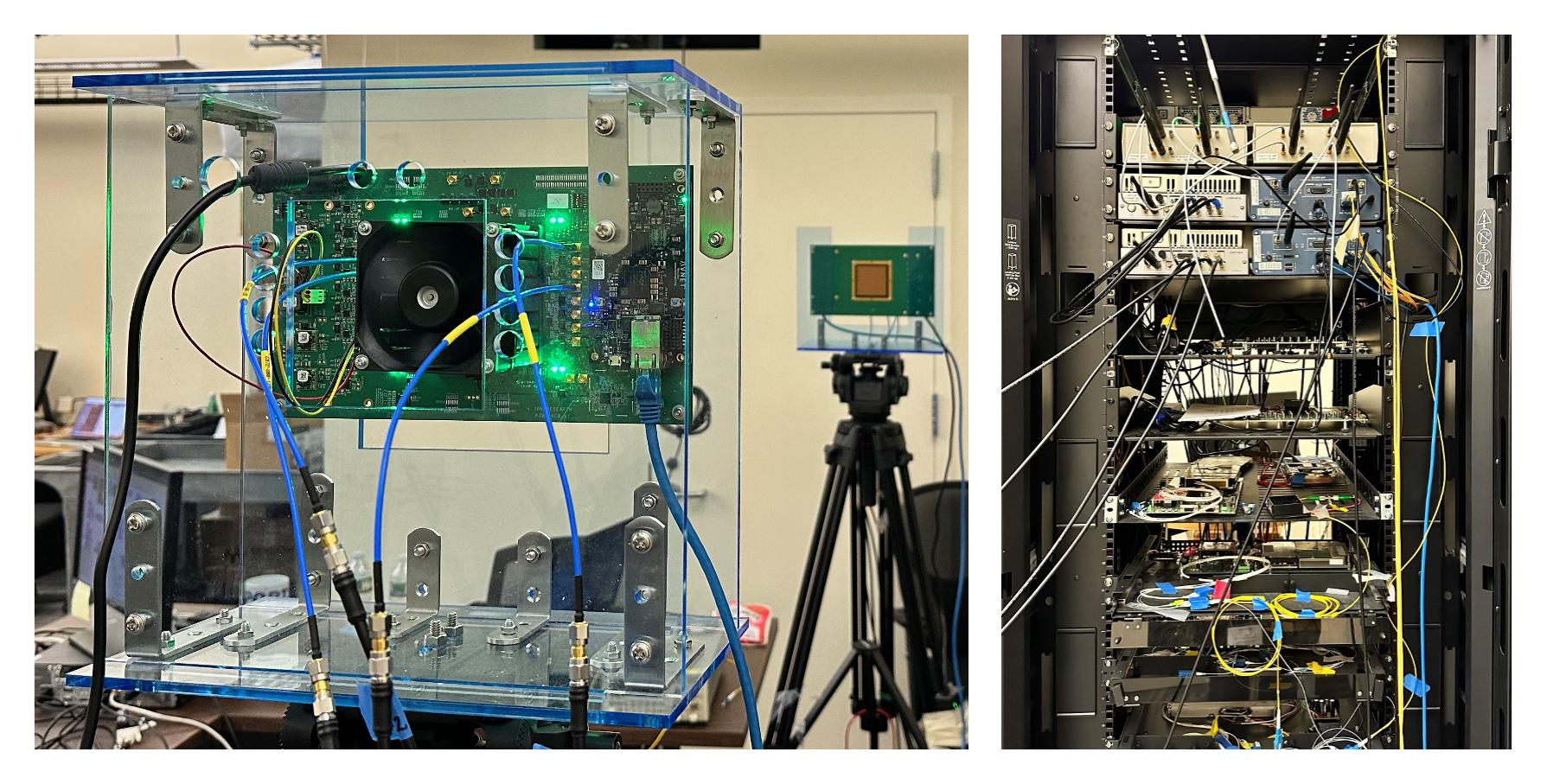
In this tutorial, we demonstrate the integration of IBM 28GHz PAAM boars with USRPs. We present the MIMO capability with real-time baseband processing using the system.
- The instructions for the RENEW Platform Agora software can be found here under RENEW license.
- The COSMOS team contributes to adding the UHD support for the Agora software under the UHD license. We thank the RENEW team for their support and help throughout the process.
Authors:
Zhenzhou (Tom) Qi, Duke University <zhenzhou.qi[at]duke[dot]edu>
Tingjun Chen, Duke University <tingjun.chen[at]duke[dot]edu>
Last updated: July 5, 2023
Prerequisites
In order to access COSMOS-SB2, create a reservation in COSMOS testbed and have it approved by the reservation service. Access to the resources is granted after the reservation is confirmed. Please follow the process shown on the COSMOS getting started page to get started.
Resources Required
- 2 USRP N310 SDRs (
sdr1-s1-lg1andsdr1-md1in SB2) - 2 IBM 28GHz PAAMs (
rfdev2-1andrfdev2-2in SB2 ) - 1 Server (
srv1-lg1)
The current hardware connection in SB2 as shown below
sdr1-s1-lg1RF2 TX/RX —rfdev2-1IC0/TX/H,sdr1-s1-lg1RF2 RX2 —rfdev2-1IC1/RX/Hsdr1-s1-lg1RF3 TX/RX —rfdev2-1IC0/TX/V,sdr1-s1-lg1RF3 RX2 —rfdev2-1IC1/RX/Vsdr1-md1RF2 TX/RX —rfdev2-2IC0/TX/H,sdr1-md1RF2 RX2 —rfdev2-2IC1/RX/Hsdr1-md1RF3 TX/RX —rfdev2-2IC0/TX/V,sdr1-md1RF2 RX2 —rfdev2-2IC1/RX/V

|
The required software components used in this demo are already loaded to the IBMPAAM-USRP-RT-Baseband.ndz node image, the node image includes:
- Ubuntu 20.04, UHD 4.1.0
- PAAM Control to initialize the PAAM boards to integrate with USRPs.
- Agora-UHD: An UHD-integrated real-time baseband processing pipeline. Please refer to
Cubic23branch at here for more information. - Real-time visualization for the real-time DSP pipeline.
Tutorial Setup
Follow the steps below to gain access to the sandbox console and set up nodes with appropriate images.
- If you don't have one already, sign up for a COSMOS account
- Create a resource reservation on COSMOS SB2
- Login into sandbox console
console.sb2.cosmos-lab.org) with four SSH sessions. - In terminal 1, make sure all the nodes and devices used in the experiment are turned off. Use the following command for SB2
omf tell -a offh -t sdr1-s1-lg1,sdr1-md1,rfdev2-1,rfdev2-2,srv1-lg1
- Load
IBMPAAM-USRP-RT-Baseband.ndzon the server.omf load -i IBMPAAM-USRP-RT-Baseband.ndz -t srv1-lg1
- Turn all the required resources on and check the status of all the resources. Use the following commands for SB2.
omf tell -a on -t sdr1-s1-lg1,sdr1-md1,rfdev2-1,rfdev2-2,srv1-lg1
omf stat -t all
sshto the server with option -Y for using GUI for our live demo.ssh -Y root@srv1-lg1
Attachments (7)
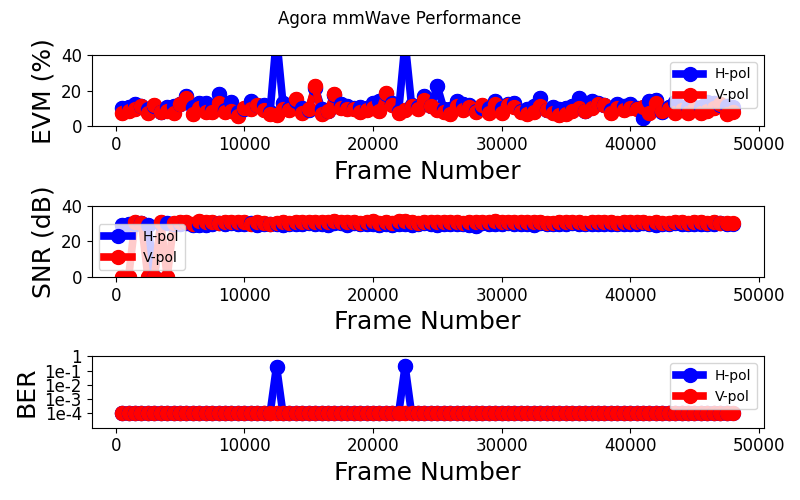
- 16QAM-EVM-SNR.png (62.0 KB ) - added by 3 years ago.
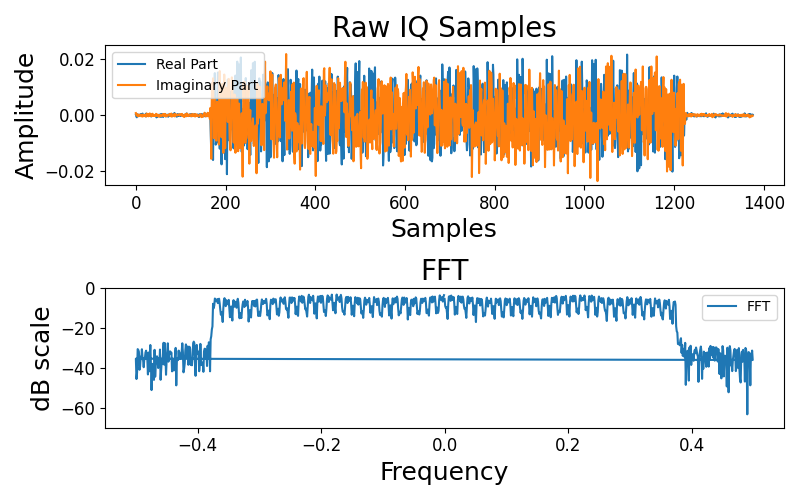
- 16QAM-FFT.png (88.1 KB ) - added by 3 years ago.
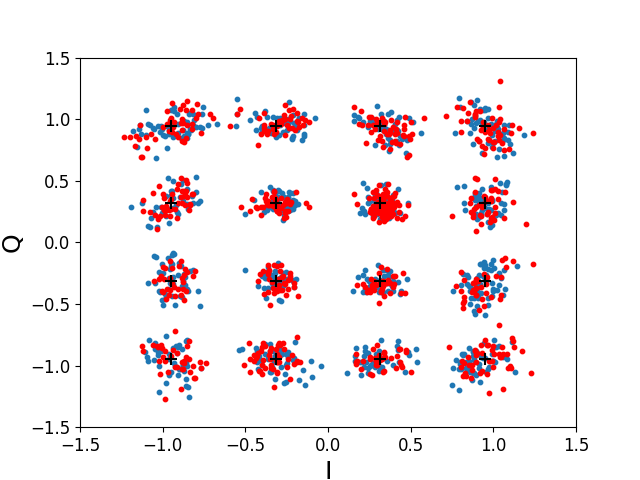
- 16QAM-MIMO.png (46.9 KB ) - added by 3 years ago.
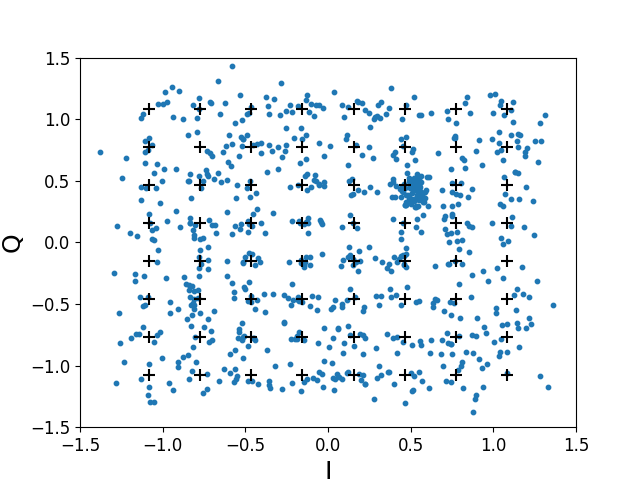
- 64QAM-SISO.png (34.9 KB ) - added by 3 years ago.
- PAAM-2_2 .png (2.6 MB ) - added by 3 years ago.
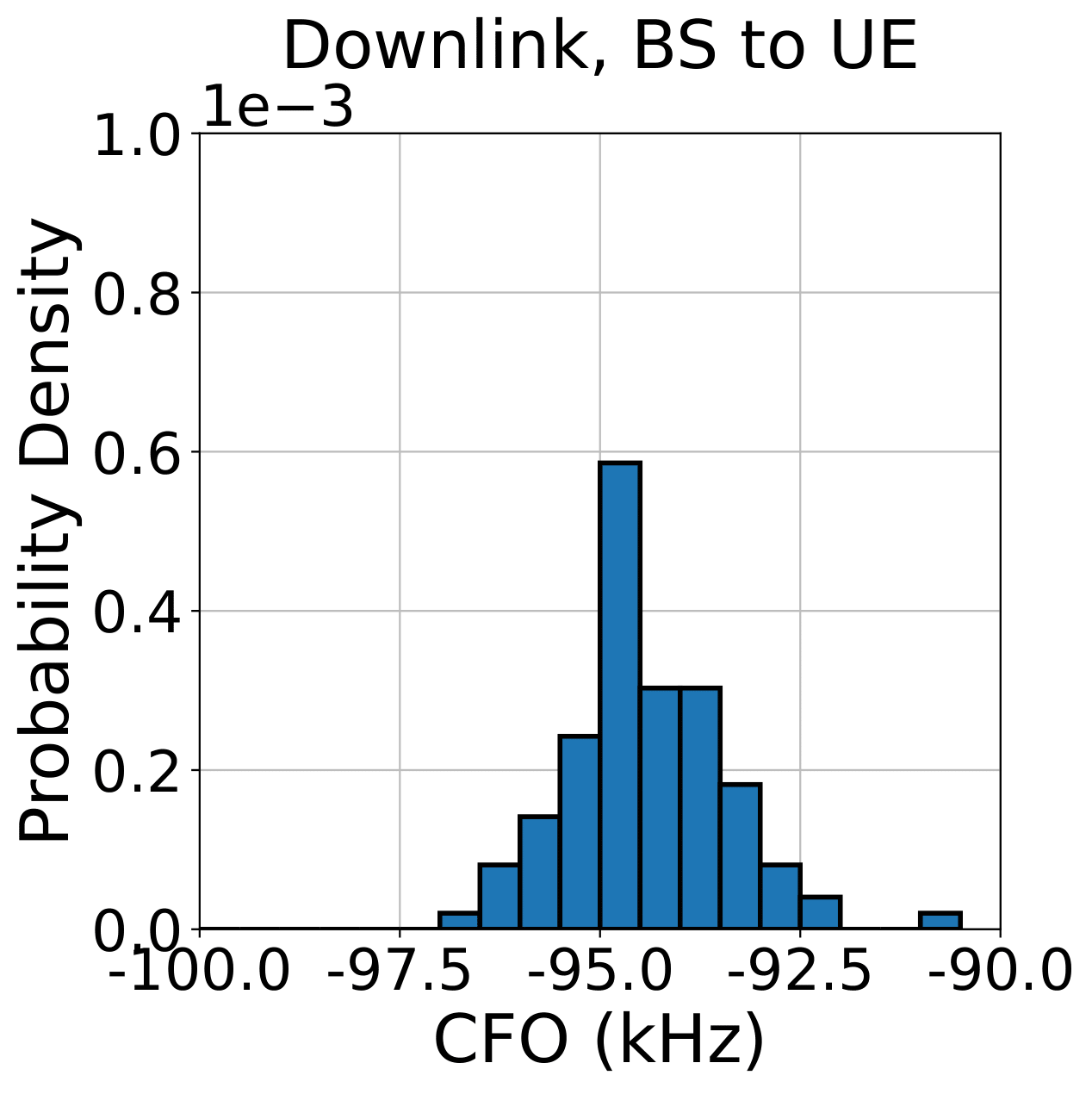
- CFO_DL.png (49.6 KB ) - added by 3 years ago.
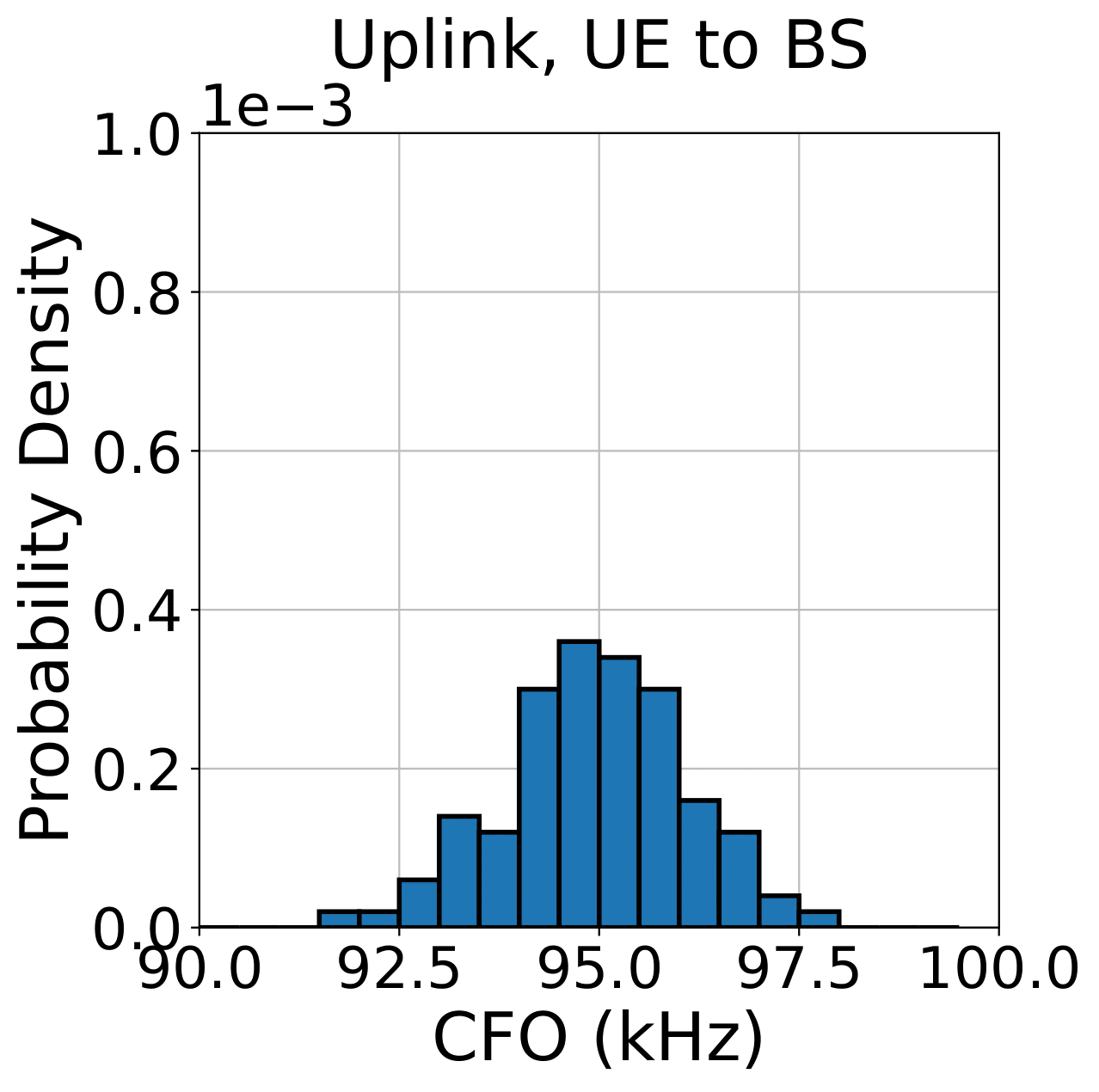
- CFO_UL.png (47.7 KB ) - added by 3 years ago.