| Version 7 (modified by , 22 months ago) ( diff ) |
|---|
Site Navigation
- COSMOS Testbed Overview
- Getting Started
- COSMOS/ORBIT User Guide
- COSMOS Portal
- Account Management
- Portal Dashboard
- Directory
- Disk Images
- Community Forum
- Getting Started with the COSMOS Portal
- SSH Access to Testbed Nodes
- Scheduler
- Testbed Status
- Installing Chrome Remote Desktop (CRD) on a Custom Image
- Tutorials
- Architecture
- Resources, Services and APIs
- Datasets
- Hardware Info
- RF Policies & Compliance
Savannah: Efficient mmWave Baseband Processing with Minimal and Heterogeneous Resources
Description
In this tutorial, we demonstrate Savannah, a framework for efficient mmWave baseband processing with minimal and heterogeneous resources.
- The instructions for Savannah software can be found here under RENEW license.
- The COSMOS team contributes to:
- Adding the UHD support for the Agora software under the UHD license;
- Updating DSP pipeline (Equalization; Demodulation);
- Integrating ACC100 BBDEV acceleration for Decoding.
We thank the RENEW team for their support and help throughout the process.
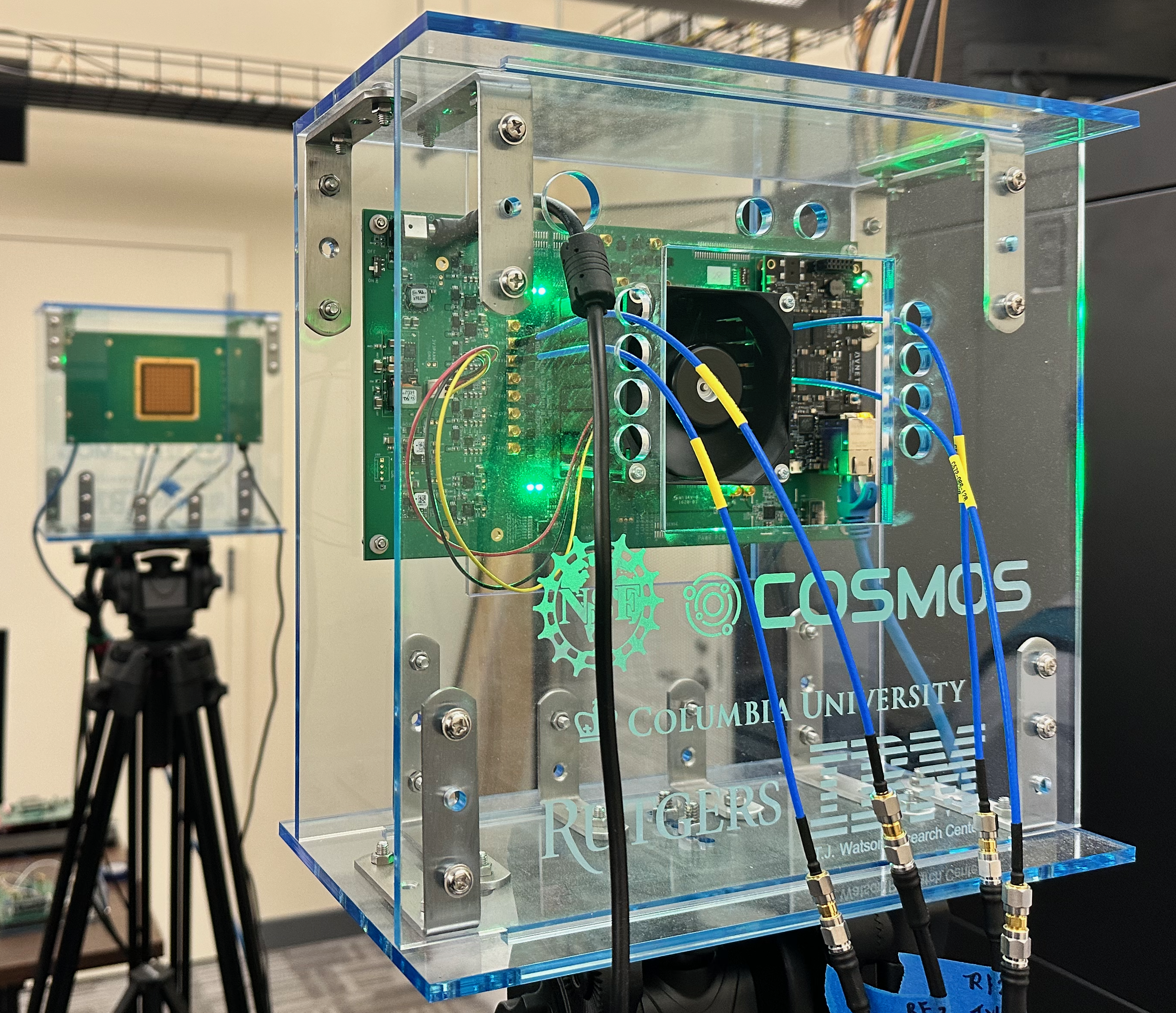
The following papers describes the integration of the IBM 28 GHz PAAMs with Savannah in the COSMOS testbed. We would appreciate it if you cite this paper when publishing results obtained using the PAAMs deployed in COSMOS.
- Z. Qi, Z. Gao, C. Tung, and T. Chen, "Programmable Millimeter-Wave MIMO Radios with Real-Time Baseband Processing". in Proc. ACM Mobi Com'23 Workshop on Wireless Network Testbeds, Experimental evaluation & Characterization (WiNTECH '23), 2023
- Z. Qi*, C. Tung*, A. Kalia, and T. Chen, "Savannah: Efficient mmWave Baseband Processing with Minimal and Heterogeneous Resources". in Proc. 30th Annual International Conference on Mobile Computing and Networking (Mobi Com'24), 2024
Authors:
Zhenzhou (Tom) Qi, Duke University <zhenzhou.qi[at]duke[dot]edu>
Chung-Hsuan Tung, Duke University <chunghsuan.tung[at]duke[dot]edu>
Zhihui Gao, Duke University <zhihui.gao[at]duke[dot]edu>
Tingjun Chen, Duke University <tingjun.chen[at]duke[dot]edu>
Last updated: Sep. 11, 2024
Prerequisites
In order to access COSMOS-SB2, create a reservation in COSMOS testbed and have it approved by the reservation service. Access to the resources is granted after the reservation is confirmed. Please follow the process shown on the COSMOS getting started page to get started.
Resources Required
- 2 USRP N310 SDRs (
sdr1-s1-lg1andsdr1-md1in SB2) - 2 IBM 28GHz PAAMs (
rfdev2-1andrfdev2-2in SB2 ) - 1 Server (
srv1-lg1)
The current hardware connection in SB2 as shown below
sdr1-s1-lg1RF2 TX/RX —rfdev2-1IC0/TX/H,sdr1-s1-lg1RF2 RX2 —rfdev2-1IC1/RX/Hsdr1-s1-lg1RF3 TX/RX —rfdev2-1IC0/TX/V,sdr1-s1-lg1RF3 RX2 —rfdev2-1IC1/RX/Vsdr1-md1RF2 TX/RX —rfdev2-2IC0/TX/H,sdr1-md1RF2 RX2 —rfdev2-2IC1/RX/Hsdr1-md1RF3 TX/RX —rfdev2-2IC0/TX/V,sdr1-md1RF2 RX2 —rfdev2-2IC1/RX/V

|
Attachments (3)
- cosmos_paam_202406.png (9.6 MB ) - added by 22 months ago.
- CMake_flags.png (35.0 KB ) - added by 22 months ago.
- Savannah.zip (1.6 MB ) - added by 22 months ago.