| Version 49 (modified by , 6 years ago) ( diff ) |
|---|
Site Navigation
- COSMOS Testbed Overview
- Getting Started
- COSMOS/ORBIT User Guide
- COSMOS Portal
- Account Management
- Portal Dashboard
- Directory
- Disk Images
- Community Forum
- Getting Started with the COSMOS Portal
- SSH Access to Testbed Nodes
- Scheduler
- Testbed Status
- Installing Chrome Remote Desktop (CRD) on a Custom Image
- Tutorials
- Architecture
- Resources, Services and APIs
- Datasets
- Hardware Info
- RF Policies & Compliance
Optical
This page describes the vision and current deployment of the COSMOS optical connectivity layer, a critical building block of the COSMOS testbed, used to enable high bandwidth and low latency networking and to support experimentation with emerging and future wireless technologies and applications (for more details see [1, Section 4.3]). The optical connectivity layer in COSMOS allows an experimenter to reconfigure connectivity between devices at the L1 (physical) layer. This provides the ability to restructure the physical topology of the entire testbed, changing not just latency between nodes but how individual signals are routed, with no overhead, throughout the testbed.
[1] D. Raychaudhuri, I. Seskar, G. Zussman, T. Korakis, D. Kilper, T. Chen, J. Kolodziejski, M. Sherman, Z. Kostic, X. Gu, H. Krishnaswamy, S. Maheshwari, P. Skrimponis, and C. Gutterman, “Challenge: COSMOS: A city-scale programmable testbed for experimentation with advanced wireless,” in Proc. ACM MOBICOM’20 (to appear), 2020. (Download)
Vision
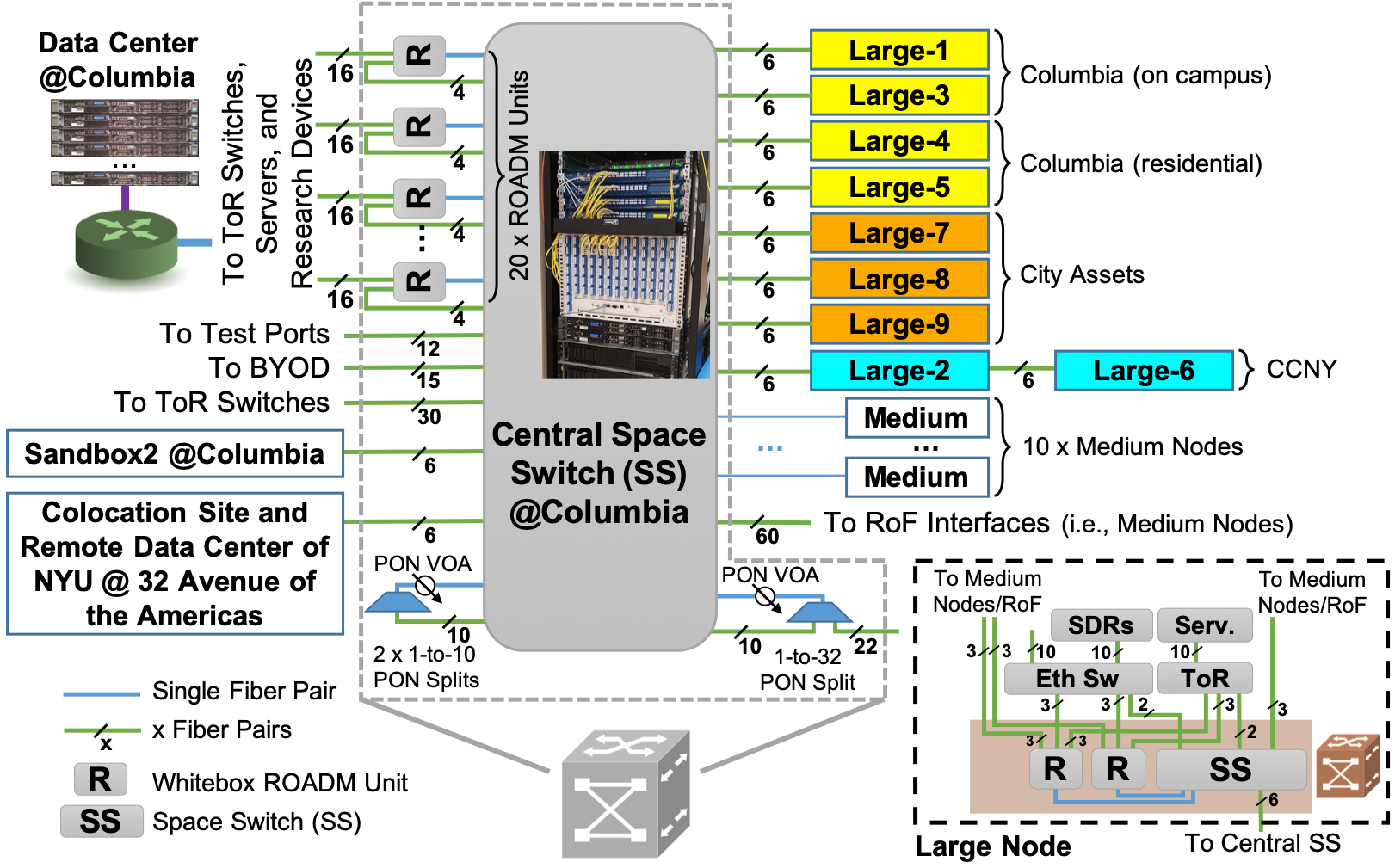
The figure below describes the vision for COSMOS' optical network. As shown, a central Calient S320 320×320 space switch (SS) in the Data Center at Columbia provides a remotely configurable fiber plant network core. Each fiber supports 96 fully transparent channels, which are flexgrid configurable to provision 10/100 Gbps wavelengths. 20 ROADM units are connected to the central SS via 20×4 add/drop fiber pairs. In addition, 20×16 add/drop pairs connect the ROADM units to top of rack (ToR) switches and servers in the data center at Columbia. The 20 fiber pairs per ROADM can be reconfigured to support various requirements from connected servers through top-layer user applications orchestrated by an SDN controller. The central SS is directly connected via dark fiber (provided by ZenFi and NYC) to the colocation site at 32 AoA that also houses the NYU data center [1, §4.3].

Hardware Components
Space Switch
The Calient MEMS space switch is a 320x320 any-to-any optical circuit switch which allows an experimenter to redirect the entire optical link coming in from one fiber strand to another. The switch itself introduces ~2dB of loss to the signal and has a switching time of ~25ms. Configuration of the switch is possible via Openflow and netconf as well as several other methods.
ROADM
There are several Lumentum Whitebox20 degree-one ROADMs (reconfigurable optical add/drop multiplexer) in COSMOS, the majority of which are at the core datacenter. Each of the ROADMs features 20 ports and allows individual wavelengths to be redirected from one fiber strand to another. This permits physically separate network links to share fibers yet still be routable (with no overhead delay) to physically different end-points. The ROADMs are compatible with C-band DWDM. Configuration of the ROADMs is done via netconf.
Pilot Phase Implementation Progress
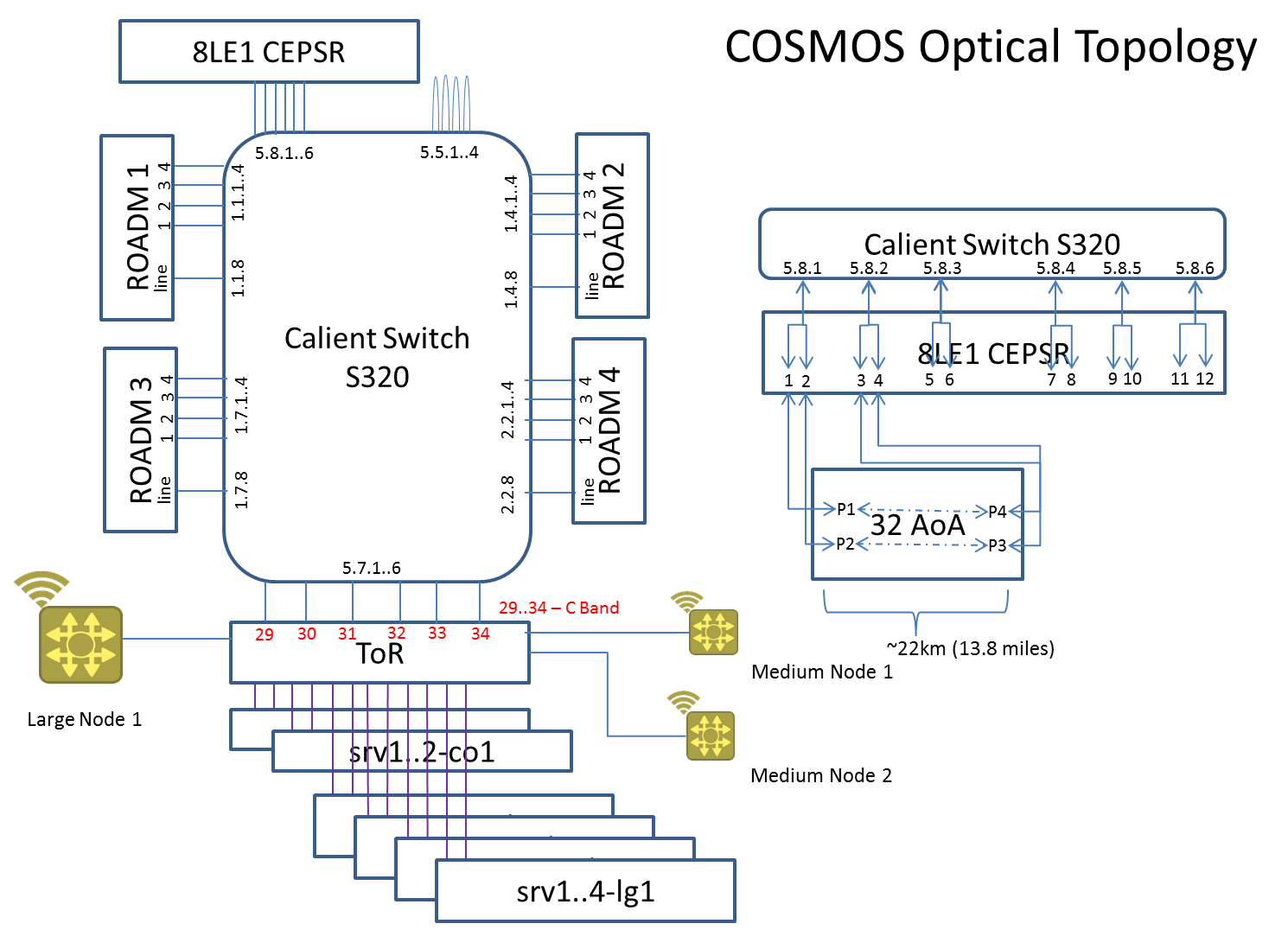
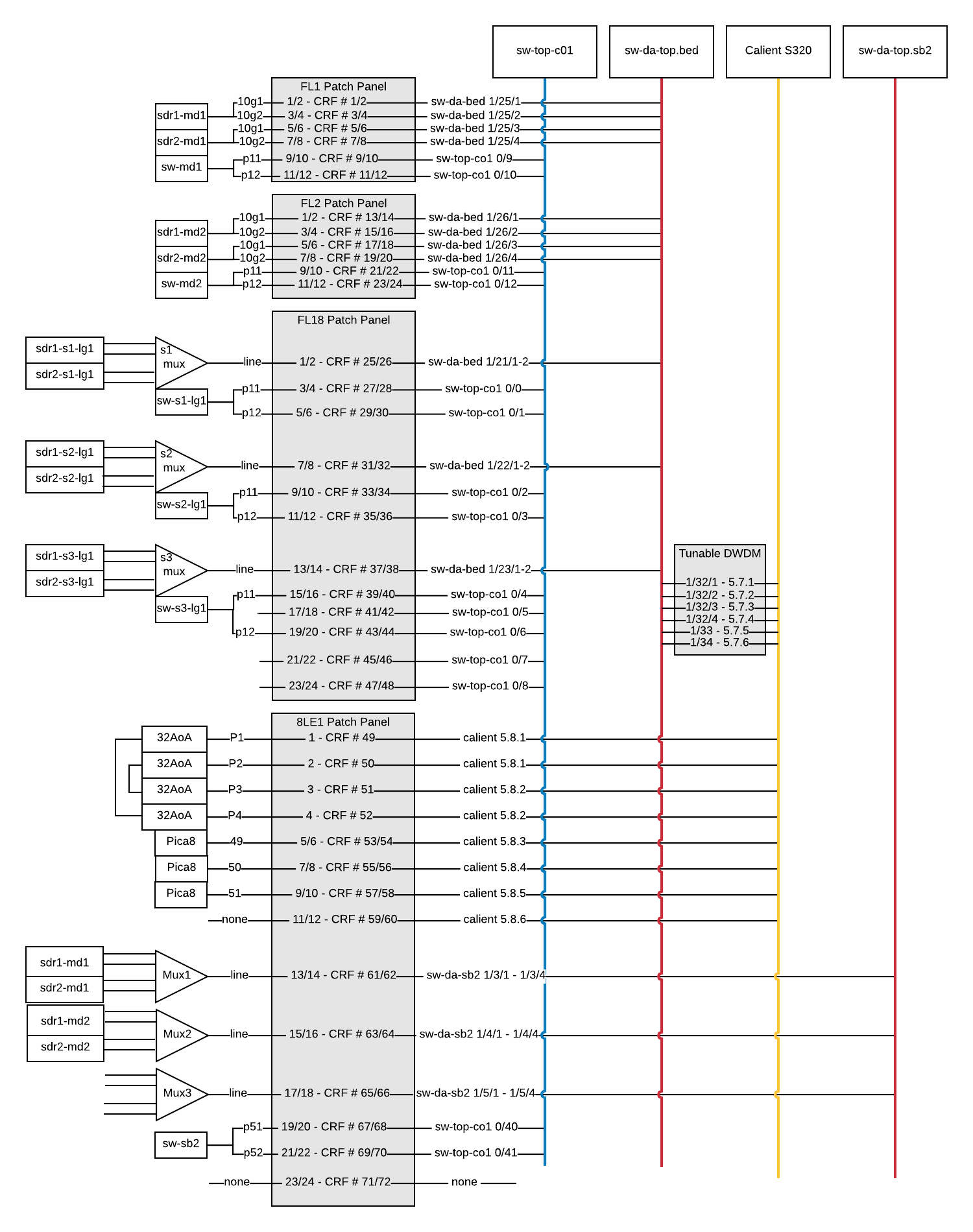
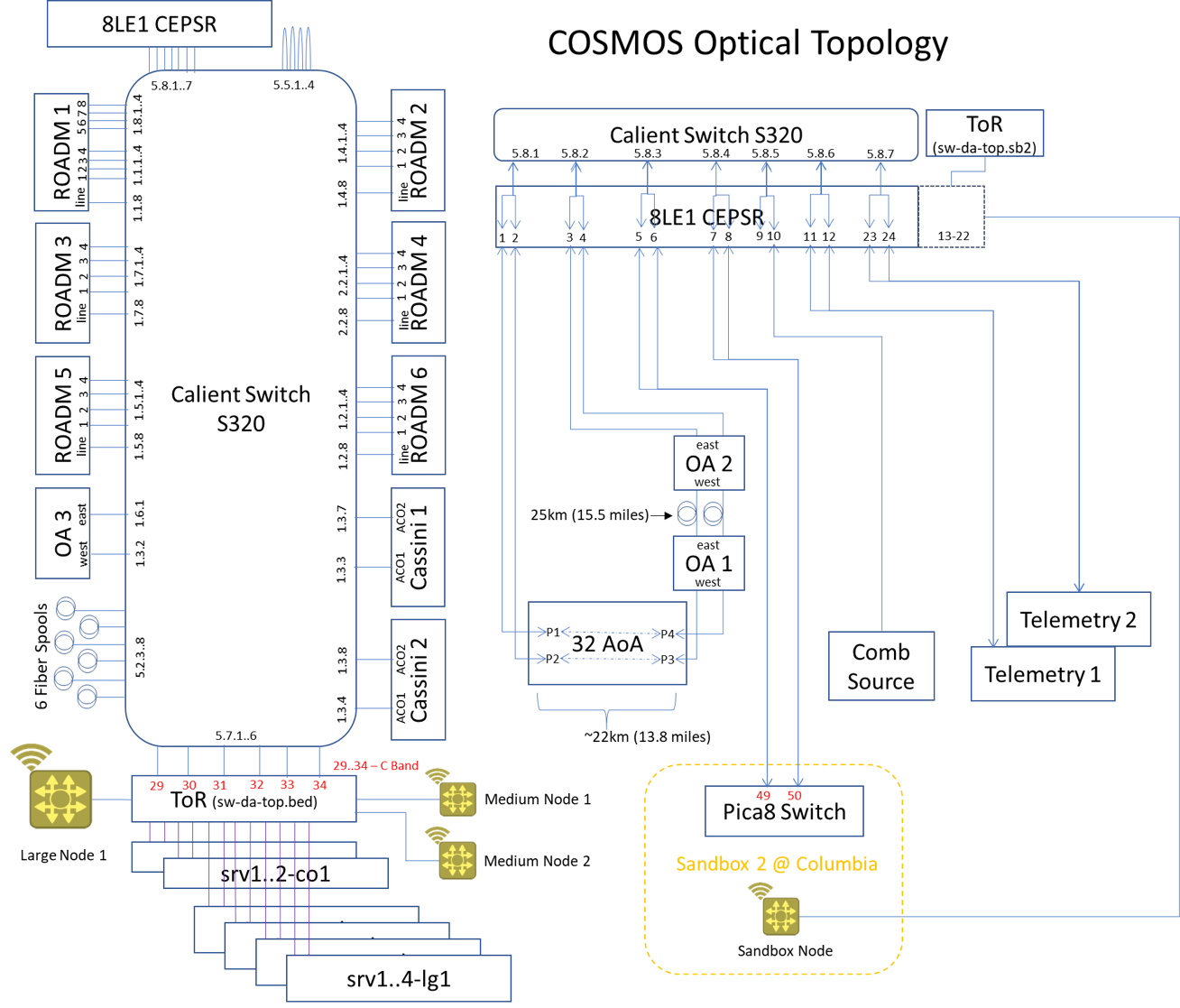
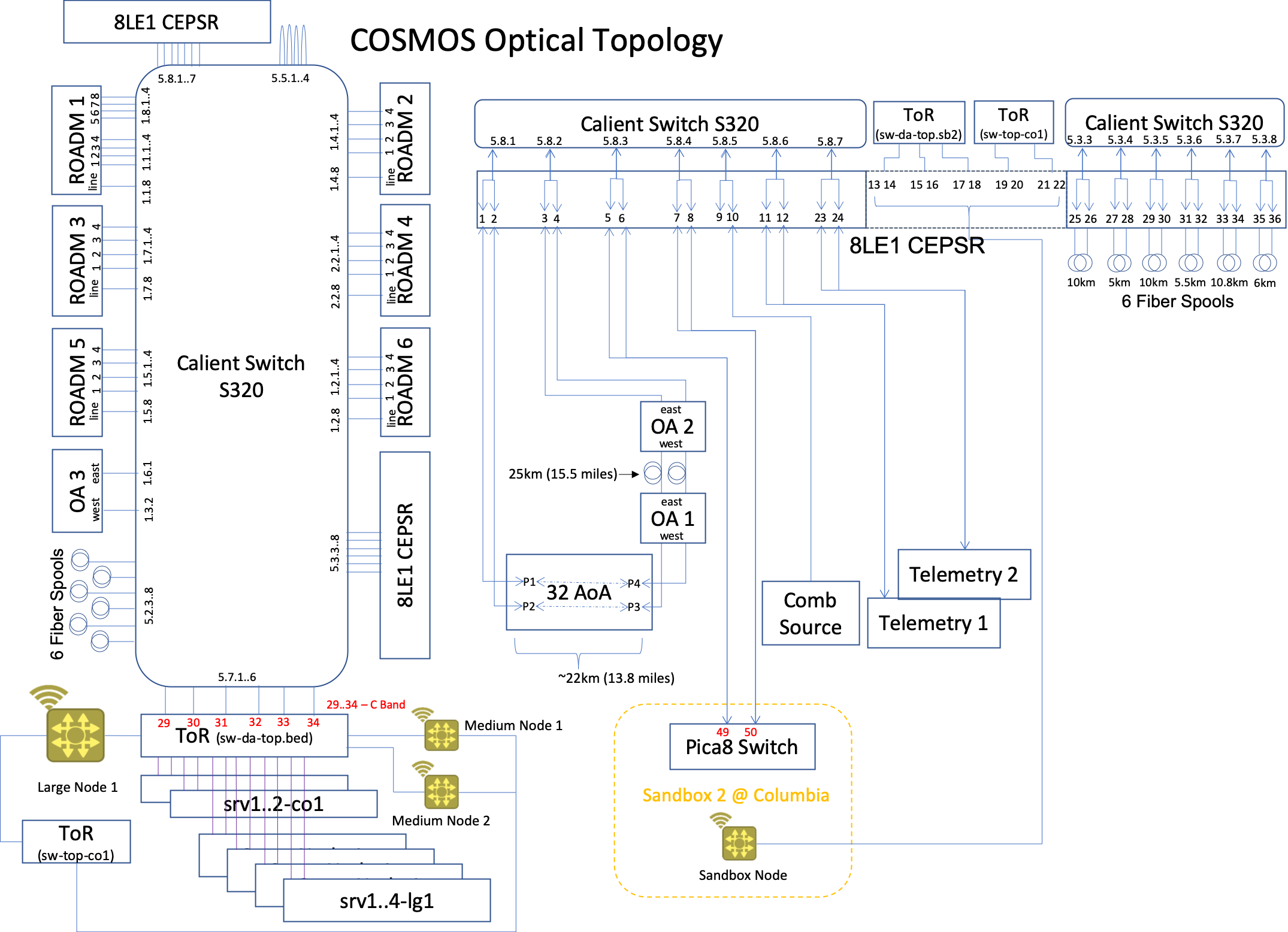
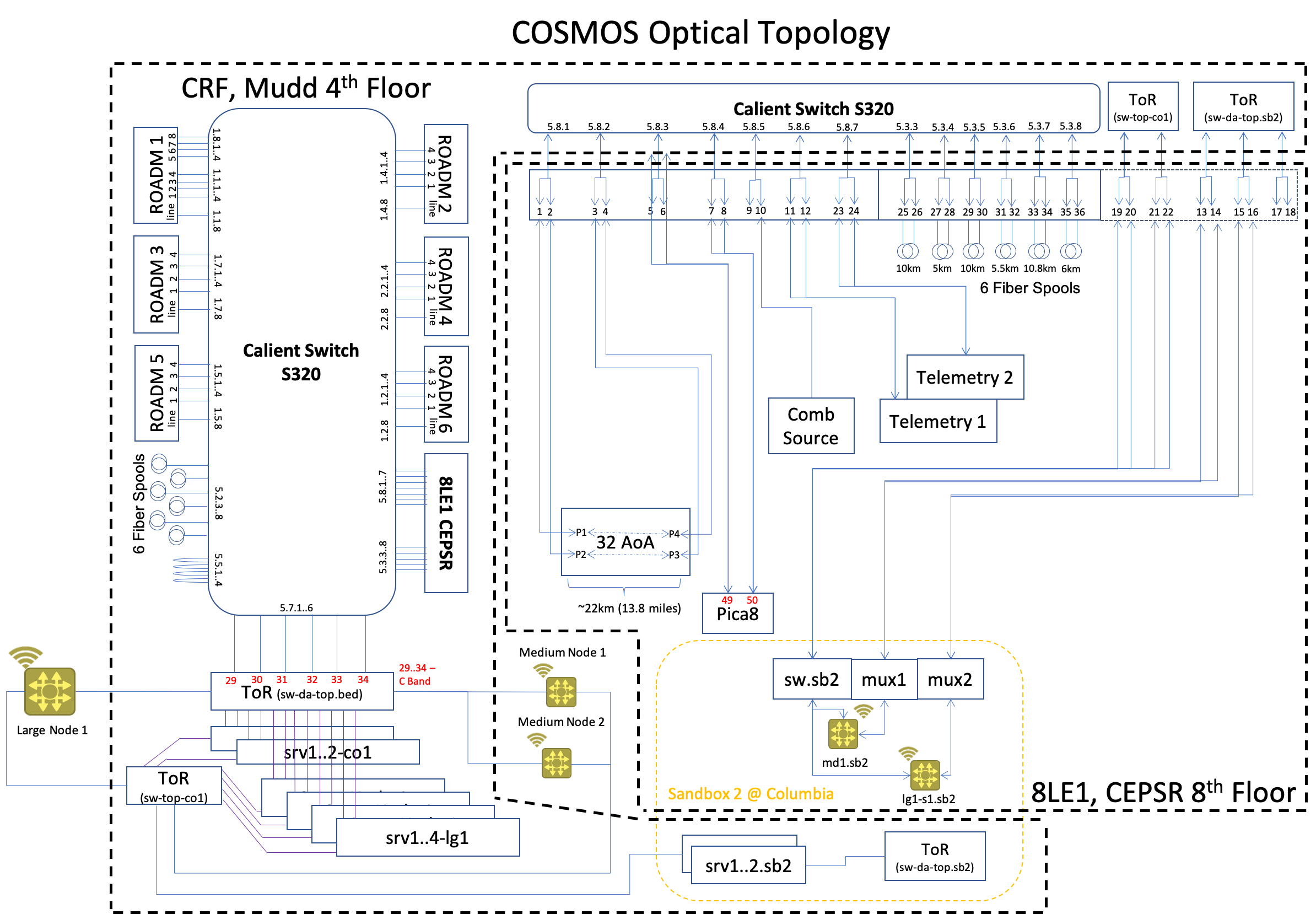
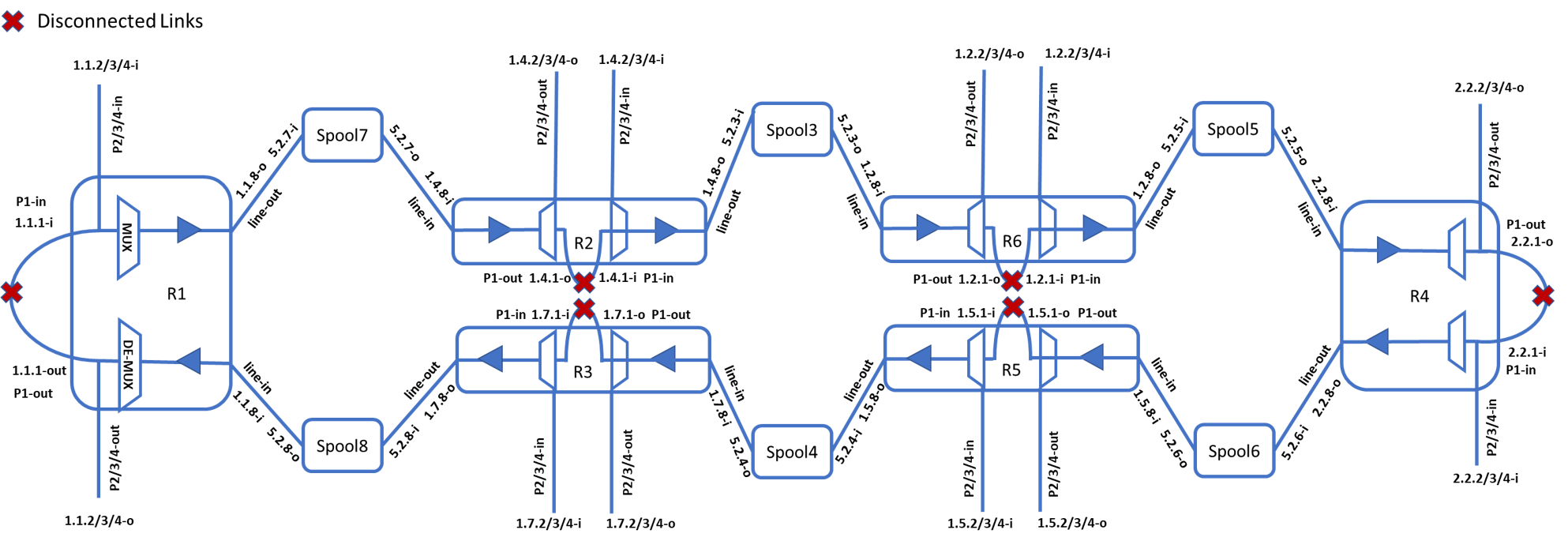
As of 17 April 2020, the COSMOS optical network consists of the following elements:

|

|
Transmission Setup
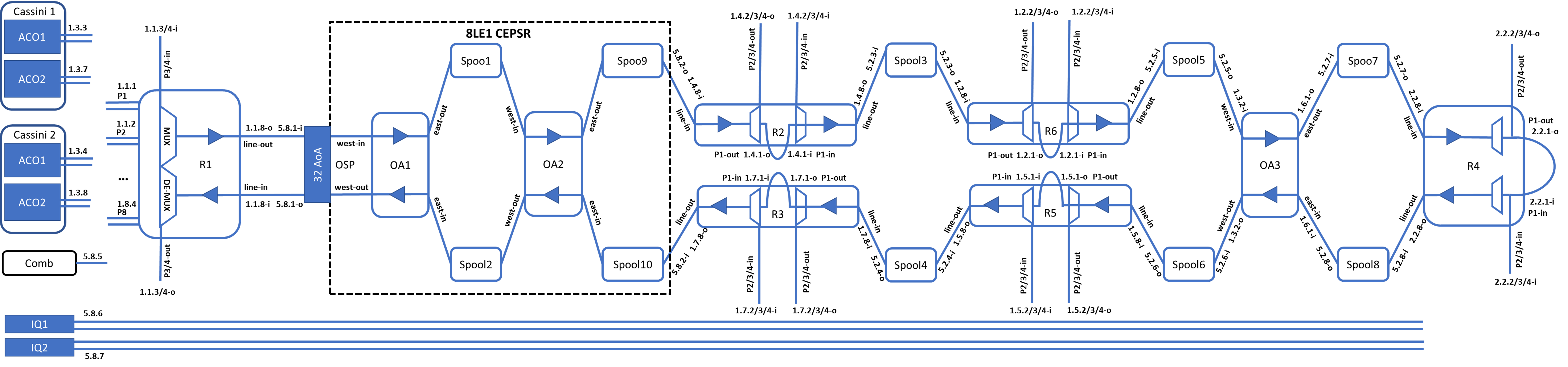
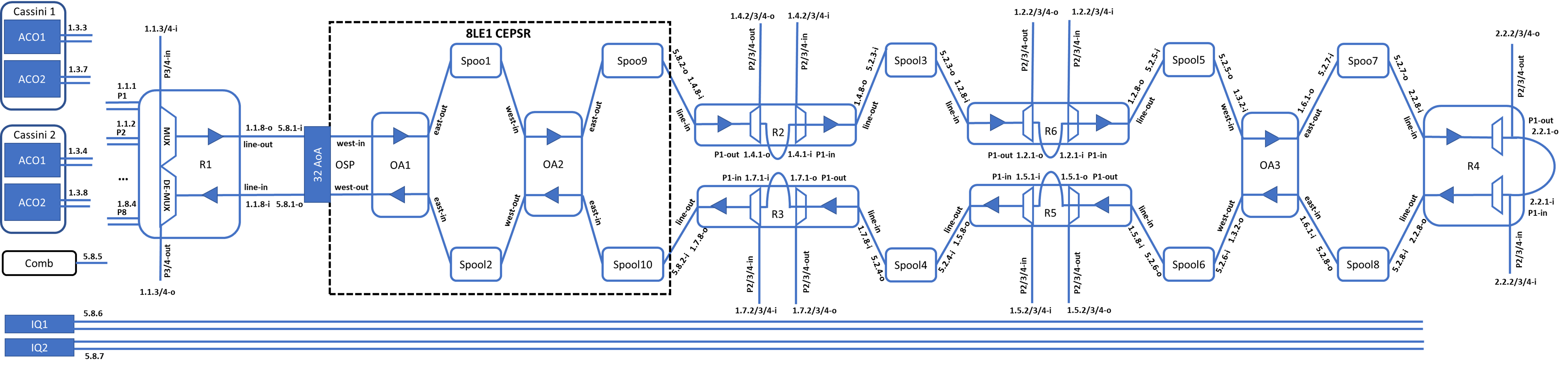
COSMOS Transmission setup as used for a recent experiment consisted of Cassini ACOs, Lumemtum ROADMs, Lumemtum OAs, Calient space switch, Comb source, and Telemetry units (IQ):

|
Changelog
10/14/2019: Moved SFP from port 1/33 on sw-tor-lg1 to port 52 on 8LE1 Pica8 1 : Artur Minakhmetov
10/16/2019: Moved back SFP from port 52 on 8LE1 Pica8 1 to port 1/33 on sw-tor-lg1 : Artur Minakhmetov
12/12/2019: Add COSMOS Transmission Setup with Cassini ACOs, Lumemtum ROADMs/OAs, Comb source and Telemetry units: Jiakai Yu
2/1/2020: Update COSMOS Optical Topology: Manav Kohli and Jiakai Yu
3/30/2020: Upload SDN controller guide: Jiakai Yu
4/17/2020: Update COSMOS Optical Topology and more information about planned vision: Manav Kohli
Attachments (12)
- COSMOS_Optical_v1.png (94.4 KB ) - added by 7 years ago.
- COSMOS_optical_core.jpg (853.6 KB ) - added by 7 years ago.
-
Cosmsos Fiber Diagram.png
(104.2 KB
) - added by 7 years ago.
Cosmos Fiber Diagram
- COSMOS optical topology_V7.png (203.1 KB ) - added by 7 years ago.
- COSMOS optical topology_V8.png (259.0 KB ) - added by 7 years ago.
- cosmos_long_reseach.png (1.2 MB ) - added by 7 years ago.
- cosmos_long_reseach_v2.png (1.2 MB ) - added by 7 years ago.
- COSMOS optical topology_V11.png (361.7 KB ) - added by 6 years ago.
- COSMOS optical topology_V12.png (99.8 KB ) - added by 6 years ago.
- Ryu Optical SDN User Guide.pptx (300.9 KB ) - added by 6 years ago.
- COSMOS optical_topology_V14.png (380.6 KB ) - added by 6 years ago.
-
default topo.png
(237.6 KB
) - added by 6 years ago.
default_ring_topo