| Version 3 (modified by , 4 years ago) ( diff ) |
|---|
Site Navigation
- COSMOS Testbed Overview
- Getting Started
- COSMOS/ORBIT User Guide
- COSMOS Portal
- Account Management
- Portal Dashboard
- Directory
- Disk Images
- Community Forum
- Getting Started with the COSMOS Portal
- SSH Access to Testbed Nodes
- Scheduler
- Testbed Status
- Installing Chrome Remote Desktop (CRD) on a Custom Image
- Tutorials
- Architecture
- Resources, Services and APIs
- Datasets
- Hardware Info
- RF Policies & Compliance
ONAP/ORAN Tutorial
Description
Prerequisites
In order to access the test bed, create a reservationand have it approved by the reservation service. Access to the resources is granted after the reservation is confirmed. Please follow the process shown on the COSMOS getting started page to get started.
Resources required
One of the servers in any of the COSMOS domains.
Tutorial Setup
For this tutorial, the assumption is that the you made a reservation for sb1.cosmos-lab.org domain. Follow the steps below to gain access to the sandbox 1 console and set up nodes with appropriate images.
- If you don't have one already, sign up for a COSMOS account
- Create a resource reservation on sandbox 1
- Login into sandbox 1 console (console.sb1.cosmos-lab.org) with two SSH sessions.
- Make sure all the resources in the domain are turned off:
For this tutorial we will be using the SB1 servers, srv1-lg1
omf tell -a offh -t system:topo:allres
- Load ORAN image oran-20220427.ndz on srv1-lg1:
omf load -i oran-20220427.ndz -t srv1-lg1 -r 60
This image is fairly large and will take up to 7 minutes to load.
- Turn all the required resources on and check the status
omf tell -a on -t srv1-lg1
omf stat -t system:topo:allres
- ssh to the nodes, use option -Y for using GUI. Alos, please make sure to tunnel ports 30091 and 30205 though the console (or use VPN so you can gain subnet access from your local machine).
Tutorial Execution
Check that the services are running by executing the commad:
root@srv1-lg1:~# kubectl get pods -n onap && kubectl get pods -n nonrtric
The output should look like:
NAME                                               READY   STATUS                            RESTARTS        AGE
onap-dmaap-dr-mariadb-init-config-job--1-hlqc8     0/1     Completed                         0               75m
onap-policy-galera-config--1-tqwwf                 0/1     Completed                         0               70m
onap-policy-clamp-galera-config--1-tnccf           0/1     Completed                         0               70m
onap-nengdb-init-config-job--1-xsbs6               0/1     Completed                         0               68m
onap-sdnc-dbinit-job--1-62vpb                      0/1     Completed                         0               68m
onap-dmaap-bc-dmaap-provisioning--1-5dj7p          0/1     Completed                         0               75m
onap-sdnc-sdnrdb-init-job--1-rmsmb                 0/1     Completed                         0               68m
onap-sdnrdb-master-0                               1/1     Running                           1 (28m ago)     68m
onap-aaf-sms-quorumclient-2                        1/1     Running                           1 (28m ago)     76m
onap-consul-7f67bc4d4f-qgghd                       1/1     Running                           1 (28m ago)     77m
onap-consul-server-0                               1/1     Running                           1 (28m ago)     77m
onap-dbc-pg-primary-74fd9c6b4-fs5kx                1/1     Running                           1 (28m ago)     75m
onap-sdnc-dmaap-listener-765d56c76d-qzkqx          0/1     Init:1/2                          0               68m
onap-aaf-sms-vault-0                               2/2     Running                           2 (28m ago)     77m
onap-mariadb-galera-0                              2/2     Running                           2 (28m ago)     75m
onap-dbc-pg-replica-6c94cf676-4pxxb                1/1     Running                           1 (28m ago)     75m
onap-aaf-sms-quorumclient-0                        1/1     Running                           1 (28m ago)     77m
onap-aaf-sms-quorumclient-1                        1/1     Running                           1 (28m ago)     76m
onap-aaf-cass-7b5ffc99ff-9m6t2                     1/1     Running                           1 (28m ago)     77m
onap-policy-mariadb-0                              2/2     Running                           3 (26m ago)     70m
onap-message-router-zookeeper-0                    1/1     Running                           1 (28m ago)     75m
onap-sdnc-ansible-server-9dcfc6846-kxnp9           1/1     Running                           1 (28m ago)     68m
onap-dcae-healthcheck-8647b8857b-ppdn6             1/1     Running                           2 (26m ago)     76m
onap-aaf-service-576849df76-mrdds                  1/1     Running                           3 (26m ago)     77m
onap-aaf-locate-6786b49d8d-4ngzg                   1/1     Running                           1 (28m ago)     77m
onap-aaf-fs-844878ff4-vjb9j                        1/1     Running                           1 (28m ago)     77m
onap-aaf-oauth-d47557fcb-n7lzq                     1/1     Running                           1 (28m ago)     77m
onap-aaf-cm-84f5df554b-qcc99                       1/1     Running                           1 (28m ago)     77m
onap-aaf-gui-5948c9d4bd-44mpf                      1/1     Running                           1 (28m ago)     77m
onap-policy-clamp-cl-pf-ppnt-84fbbcc979-wnmhd      1/1     Running                           1 (28m ago)     70m
onap-dmaap-bc-78b9bd844-wzr64                      0/1     Init:5/6                          1               75m
onap-policy-clamp-cl-http-ppnt-8587f99d74-9kqt6    1/1     Running                           1 (28m ago)     70m
onap-sdnrdb-coordinating-only-5f87cb6d74-tgc5p     2/2     Running                           2 (28m ago)     68m
onap-policy-clamp-fe-56c59bc9fc-2mr99              1/1     Running                           1 (28m ago)     70m
onap-policy-api-64655b4bbd-rlptb                   1/1     Running                           1 (28m ago)     70m
onap-policy-gui-59b76dd7db-pqw5b                   1/1     Running                           1 (28m ago)     70m
onap-policy-clamp-cl-k8s-ppnt-6ddb58cfbd-8rcj5     1/1     Running                           1 (28m ago)     70m
onap-policy-clamp-be-b8fcc698d-c7fdn               1/1     Running                           1 (28m ago)     70m
onap-policy-clamp-cl-runtime-867fd4765-9zn2s       1/1     Running                           1 (28m ago)     70m
onap-policy-apex-pdp-0                             1/1     Running                           1 (28m ago)     70m
onap-aaf-sms-7885fd9f5c-v8xpq                      1/1     Running                           1 (28m ago)     77m
onap-policy-pap-7dd48d6d69-swbcd                   1/1     Running                           1 (28m ago)     70m
onap-sdnc-dgbuilder-8d946cb6b-jct5g                1/1     Running                           1 (28m ago)     68m
onap-dmaap-dr-prov-6ddbc5595-x9zs7                 2/2     Running                           2 (28m ago)     75m
onap-a1policymanagement-0                          2/2     Running                           2 (28m ago)     77m
onap-dmaap-dr-node-0                               2/2     Running                           2 (28m ago)     75m
onap-sdnc-web-55b974859d-7f72m                     1/1     Running                           1 (28m ago)     68m
onap-dcae-config-binding-service-f95cf8997-7pqj7   4/4     Running                           4 (28m ago)     76m
onap-dcae-ves-collector-7bb58645f6-wjmr7           2/2     Running                           2 (28m ago)     76m
onap-dcae-cloudify-manager-85cfdc498b-p9fq9        1/1     Running                           1 (28m ago)     76m
onap-sdnc-0                                        2/2     Running                           2 (28m ago)     68m
onap-network-name-gen-699cdbd4b5-f9shp             1/1     Running                           13 (21m ago)    68m
onap-aaf-sms-preload--1-xw2z8                      0/1     Init:CreateContainerConfigError   2               77m
onap-message-router-kafka-0                        0/1     CrashLoopBackOff                  8 (3m55s ago)   75m
onap-message-router-0                              0/1     CrashLoopBackOff                  8 (3m28s ago)   75m
NAME                                    READY   STATUS    RESTARTS      AGE
a1-sim-std-0-7d7d6d5b69-q4tf8           1/1     Running   1 (28m ago)   67m
a1-sim-std-1-6d7b644cbb-vhndk           1/1     Running   1 (28m ago)   67m
a1-sim-std2-0-64cc667968-m6rp6          1/1     Running   1 (28m ago)   67m
a1-sim-osc-1-5bb7478885-25rmb           1/1     Running   1 (28m ago)   67m
topology-6c5cd99d6d-qnrzr               1/1     Running   1 (28m ago)   67m
helmmanager-0                           1/1     Running   1 (28m ago)   67m
a1-sim-std2-1-b668b97df-662zs           1/1     Running   1 (28m ago)   67m
rappcatalogueservice-765d8c69fd-zp57s   1/1     Running   1 (28m ago)   67m
dmaapadapterservice-0                   1/1     Running   1 (28m ago)   67m
a1-sim-osc-0-547cc8fc84-fmddw           1/1     Running   1 (28m ago)   67m
informationservice-0                    1/1     Running   1 (28m ago)   67m
nonrtricgateway-689d9cf595-gltwm        1/1     Running   2 (27m ago)   67m
dmaapmediatorservice-0                  1/1     Running   3 (26m ago)   67m
oran-nonrtric-kong-594db9cb8b-pqbhg     2/2     Running   8 (26m ago)   67m
controlpanel-6fb4f88778-rl5gx           1/1     Running   4 (26m ago)   67m
oru-app-cd86cbb85-9wbck                 1/1     Running   1 (28m ago)   67m
In case you want to build your own ORAN image, start with the ubuntu2004.ndz and remove snapd restriction from it with: }}}
sudo rm /etc/apt/preferences.d/snapd
Install snapd:
sudo apt update
sudo apt install snapd
Add to /etc/profile
export LC_ALL=C.UTF-8
export LANG=C.UTF-8
exit the ssh session and come back. Install a local Kubernetes with MicroK8s:
sudo snap install microk8s --classic
Grab the O-RAN installation scripts:
git clone --recursive https://github.com/sebdet/oran-deployment.git
And then install them
./oran-deployment/scripts/layer-0/0-setup-microk8s.sh
./oran-deployment/scripts/layer-0/0-setup-charts-museum.sh
./oran-deployment/scripts/layer-0/0-setup-helm3.sh
./oran-deployment/scripts/layer-1/1-build-all-charts.sh
./oran-deployment/scripts/layer-2/2-install-oran.sh
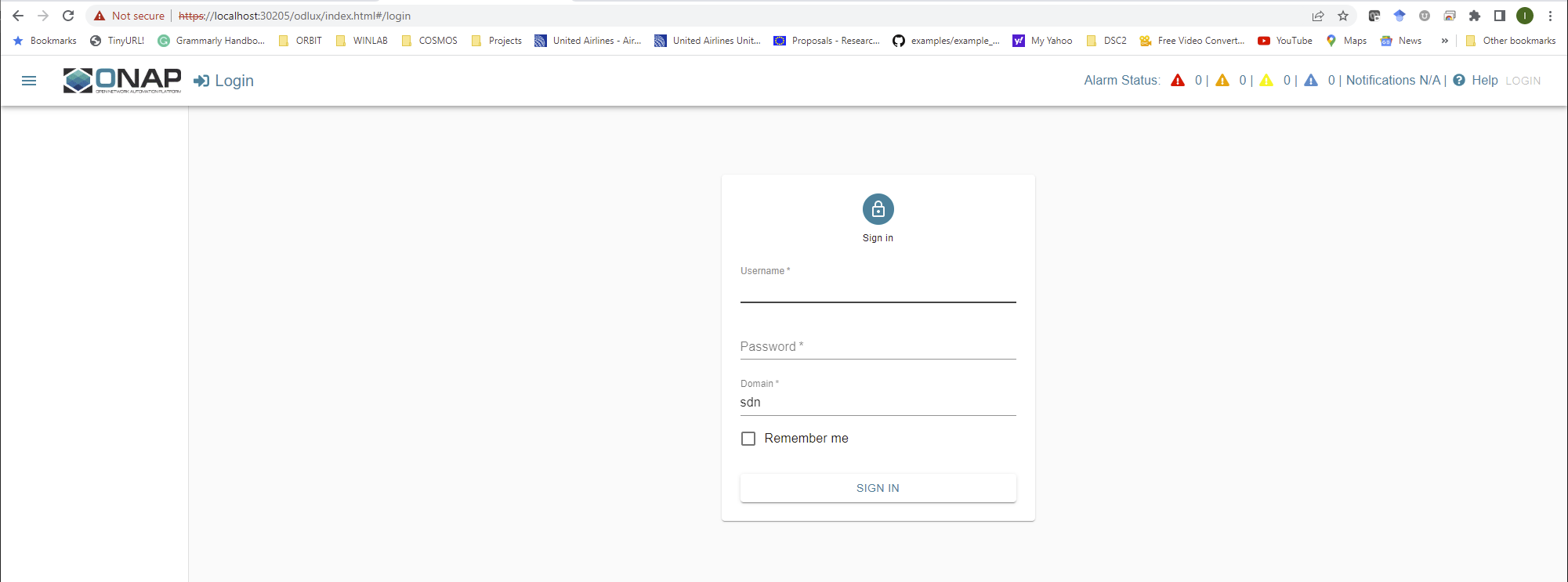
 [Image(ONAP.png, 600 )]]
Attachments (2)
-
Non-RTRIC.png
(131.9 KB
) - added by 4 years ago.
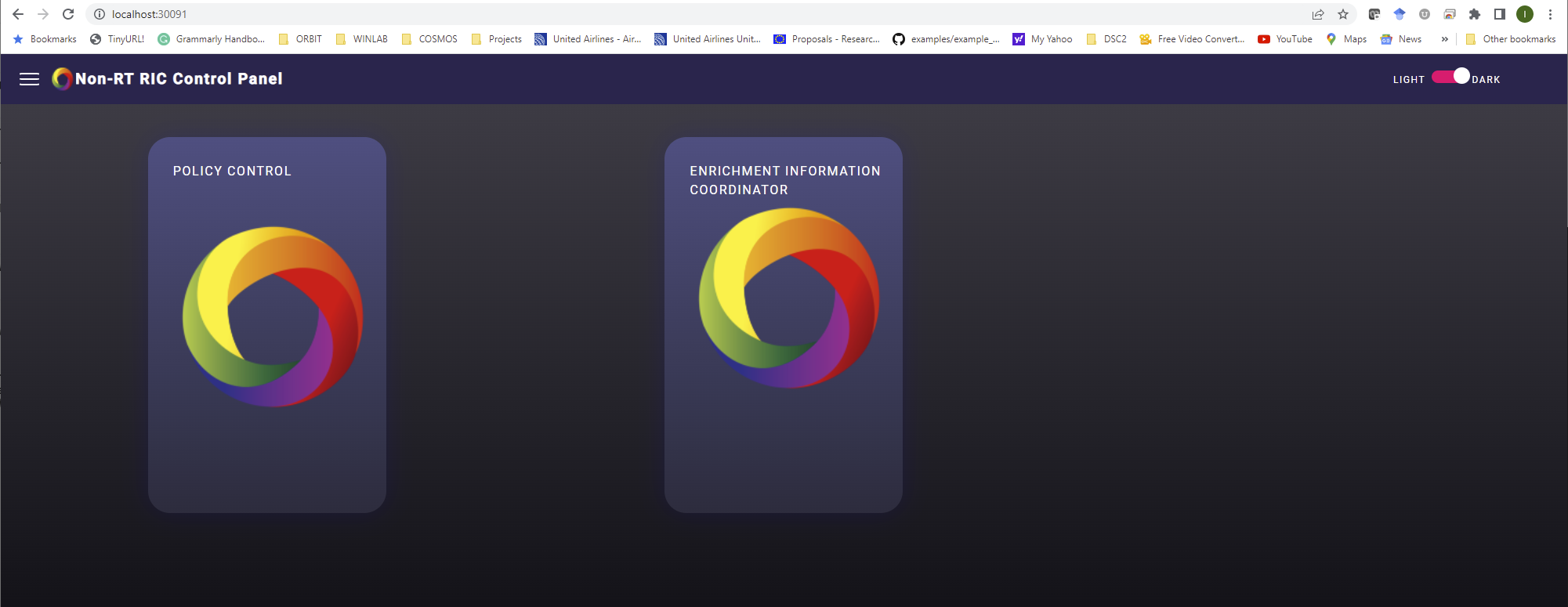
No-RT RIC Web Page Screenshot
-
ONAP.png
(53.5 KB
) - added by 4 years ago.
ONAP Web Page Screenshot
Download all attachments as: .zip