| Version 14 (modified by , 5 years ago) ( diff ) |
|---|
Site Navigation
- COSMOS Testbed Overview
- Getting Started
- COSMOS/ORBIT User Guide
- COSMOS Portal
- Account Management
- Portal Dashboard
- Directory
- Disk Images
- Community Forum
- Getting Started with the COSMOS Portal
- SSH Access to Testbed Nodes
- Scheduler
- Testbed Status
- Installing Chrome Remote Desktop (CRD) on a Custom Image
- Tutorials
- Architecture
- Resources, Services and APIs
- Datasets
- Hardware Info
- RF Policies & Compliance
Container Service Migration Tutorial
This wiki page contains tutorials for container migration for edge cloud applications using ORBIT and COSMOS testbed. The following citation can be used for this work.
Maheshwari, Sumit, Shalini Choudhury, Ivan Seskar, and Dipankar Raychaudhuri. "Traffic-aware dynamic container migration for real-time support in mobile edge clouds." In 2018 IEEE International Conference on Advanced Networks and Telecommunications Systems (ANTS), pp. 1-6. IEEE, 2018.
Wiki Author:
- Sumit Maheshwari, WINLAB, Rutgers University: sumitm[at]winlab.rutgers.edu
Last updated: May 2020
Description
Containers run as the userspace processes over the Kernel and have better bandwidth and CPU performance as compared to VMs. The shared resource dynamic container migration approach, therefore, can be used to address deteriorating application QoS, arising from the processing latency (system load) and/or the network latency (user mobility).
This tutorial demonstrates how to accomplish service migrations using containers.
Prerequisites
In order to access the testbed, create a reservation, and have it approved by the reservation service. Access to the resources is granted after the reservation is confirmed.
Resources required
Three nodes are required to run this experiment.
Topology
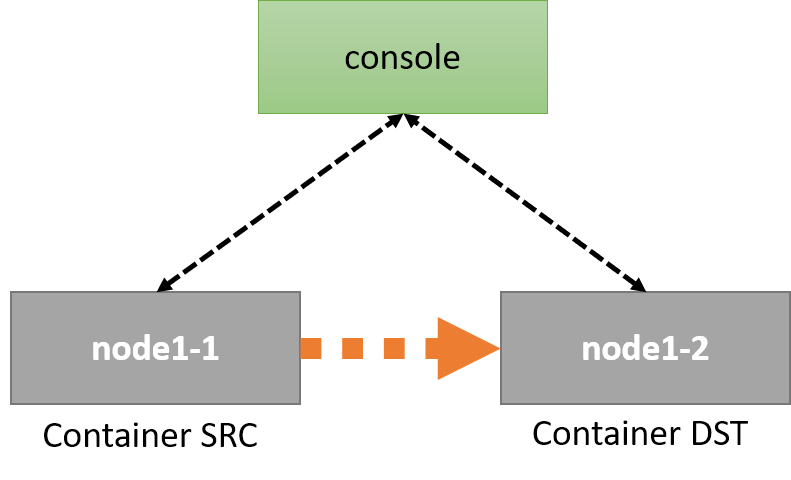
The following topology is used in this experiment. The container is migrated from the source to the destination. The node information and the results can be collected from the console.

Tutorial
Set Up
Before you can access the testbed, you need to make a reservation and get it approved. After receiving the reservation's confirmation (approval) email:
- Login into reserved domain:
ssh -X username@console.sb1.cosmos-lab.org(the-Xoption is for enabling the X11 tunneing) - Load the most updated container migration image (
conmig.ndzreleased) on at least two nodes (this process can take about a few minutes so please be patient):omf load -i conmig.ndz -t srv1-lg1,srv2-lg1 - Turn on the node:
omf tell -a on -t system:topo:images - Ping to the nodes to check their status:
ping srv1-lg1andping srv2-lg1 - Login into the nodes:
ssh -X root@srv1-lg1andssh -X root@srv2-lg1. The files required for this experiment are already loaded in the image. You can also download the full code used in the ShareOn paper from the GitHub repository. - On the console, create a directory called
migrationand download the simplified Migration Script in it:wget https://wiki.cosmos-lab.org/raw-attachment/wiki/Tutorials/EdgeComputing/ServiceMigration/conmig.sh.
Experiment
- On the console, under the
migrationdirectrory, runchmod +x *.shto set permissions. - Run the migration script as
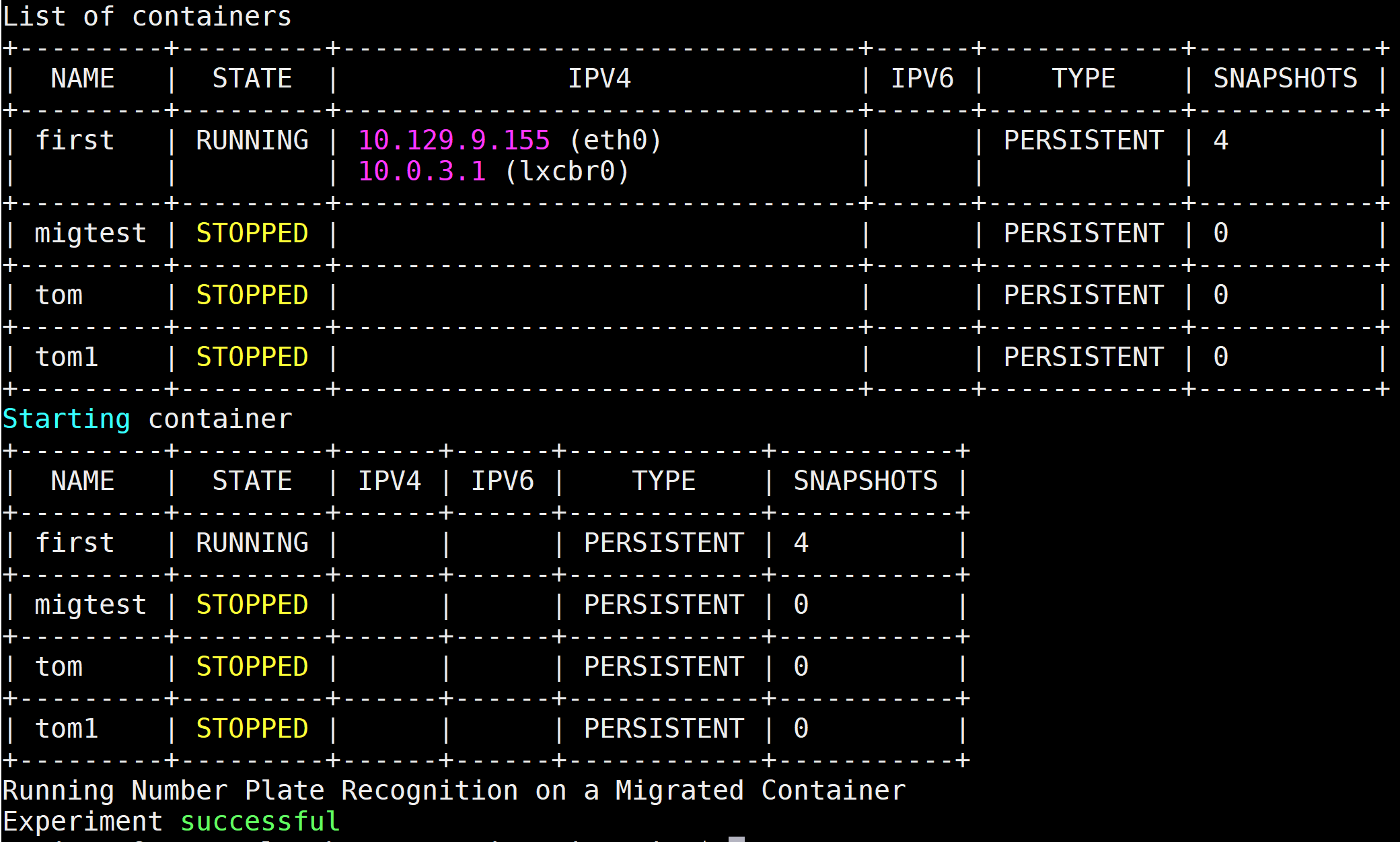
./conmig.shto observe container packing and migration.

- This experiment runs a license plate recognition application for the images loaded on the node.
- Ssh to the nodes to check the application outputs.
Attachments (4)
-
topo.png
(9.6 KB
) - added by 6 years ago.
topology
- topo.2.png (9.6 KB ) - added by 6 years ago.
- conmig.sh (853 bytes ) - added by 6 years ago.
- output.PNG (89.0 KB ) - added by 6 years ago.
Download all attachments as: .zip