| Version 17 (modified by , 4 years ago) ( diff ) |
|---|
Site Navigation
- COSMOS Testbed Overview
- Getting Started
- COSMOS/ORBIT User Guide
- COSMOS Portal
- Account Management
- Portal Dashboard
- Directory
- Disk Images
- Community Forum
- Getting Started with the COSMOS Portal
- SSH Access to Testbed Nodes
- Scheduler
- Testbed Status
- Installing Chrome Remote Desktop (CRD) on a Custom Image
- Tutorials
- Architecture
- Resources, Services and APIs
- Datasets
- Hardware Info
- RF Policies & Compliance
Massive MIMO Channel Sounding
Description
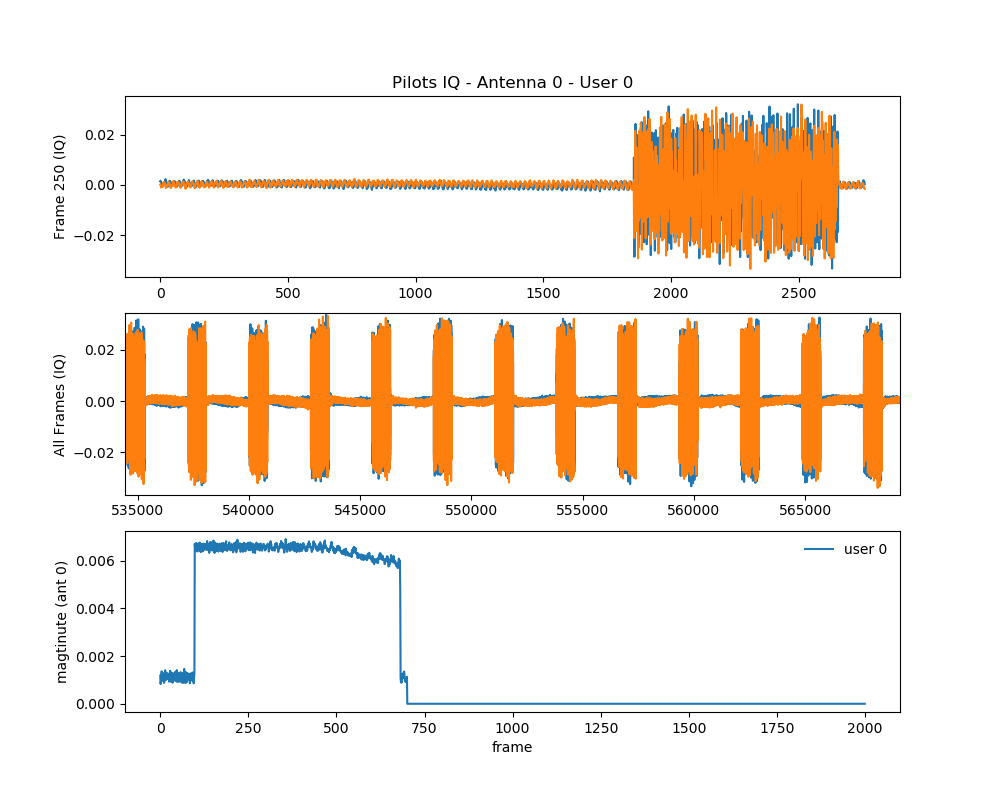
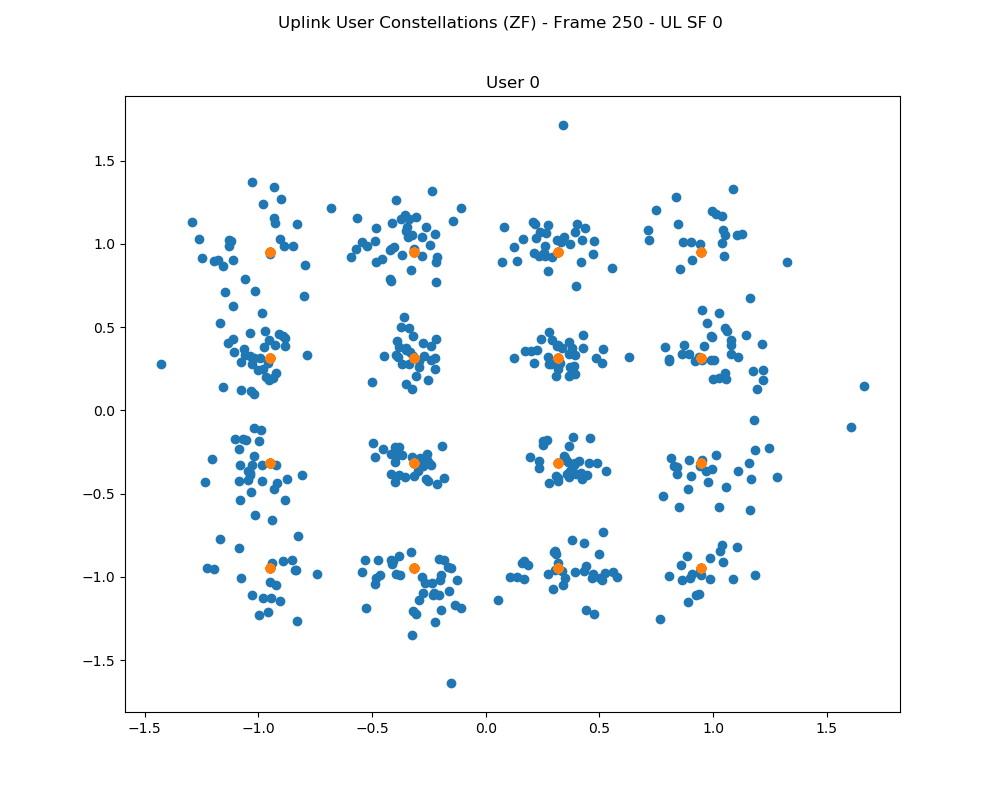
In this tutorial, we demonstrate the TDD 16x1 Massive MIMO channel sounding procedure using 1 Massive MIMO rack (8 USRP-X310s) and 1 USRP-B210 in the ORBIT grid and the RENEW Sounder software
- The instructions of the RENEW Platform Sounder software can be found here under RENEW license.
- The COSMOS team contributes to adding the UHD support for the Sounder software under the UHD license.
Author: Zhenzhou (Tom) Qi, Duke University (zhenzhou.qi [at] duke [dot] edu)
Last updated: Jul. 07, 2022
Prerequisites
In order to access grid, create a reservation in grid and have it approved by the reservation service. Access to the resources is granted after the reservation is confirmed. Please follow the process shown on the COSMOS getting started page to get started.
Resources Required
- 1 Massive MIMO Rack (
node23-1tonode23-8) - 1 USRP-B210 (
node8-7) - 1 Server (
node21-1)
Tutorial Setup
Follow the steps below to gain access to the grid console and set up nodes with appropriate images.
- If you don't have one already, sign up for a ORBIT account
- Create a resource reservation on ORBIT grid
- Login into grid console (
grid.orbit-lab.org) with two SSH sessions. - Make sure all the nodes and devices used in the experiment are turned off
omf tell -a offh -t node21-1,node8-7
omf tell -a offh -t [23,1..8]
- Use the
ubuntu2004-uhd4.1-gr3.9.ndznode image with Ubuntu 20.04, UHD 4.10, and gnuradio 3.9. Loadubuntu2004-uhd4.1-gr3.9.ndzon both the server and (node8-7).omf load -i ubuntu2004-uhd4.1-gr3.9.ndz -t node21-1
omf load -i ubuntu2004-uhd4.1-gr3.9.ndz -t node8-7
- Turn all the required resources on and check the status
omf tell -a on -t node21-1,node8-7
omf tell -a on -t [23,1..8]
omf stat -t all
sshto the server and (node8-7) from two terminals, use option -Y for using GUI.[Terminal 1] ssh -Y root@node21-1, [Terminal 2] ssh -Y root@node8-7
Experiment Execution
Find and prepare USRPs and the Sounder software
- The IP addresses for Ethernet Port 1(10G) on
node23-1tonode23-8were hard-coded to10.10.23.1to10.10.23.8respectively. To access them from the servernode21-1, no configure of the network interface is needed, however, for better performance, we suggest the following operations:root@node21-1:~# ifconfig CTRL mtu 9000 up root@node21-1:~# sudo sysctl -w net.core.wmem_max=24862979 net.core.wmem_max = 24862979 root@node21-1:~# sudo sysctl -w net.core.rmem_max=24862979 net.core.rmem_max = 24862979 root@srv2-lg1:~# ifconfig root@node21-1:~# ifconfig CTRL CTRL: flags=4163<UP,BROADCAST,RUNNING,MULTICAST> mtu 9000 inet 10.10.21.1 netmask 255.255.0.0 broadcast 10.10.255.255 inet6 fe80::9a03:9bff:fe3b:81e3 prefixlen 64 scopeid 0x20<link> ether 98:03:9b:3b:81:e3 txqueuelen 1000 (Ethernet) RX packets 28985875 bytes 107820952173 (107.8 GB) RX errors 121 dropped 0 overruns 0 frame 121 TX packets 12711747 bytes 14132140459 (14.1 GB) TX errors 0 dropped 0 overruns 0 carrier 0 collisions 0
- Similarly in
node23-8, USRP-B210 is connected via a USB-3 port, and no further configuration of the network interface is needed.
- Run
uhd_find_deviceto make sure that the USRP-X310s and USRP-B210s can be reached respectively bynode21-1andnode8-7:root@node21-1:~# uhd_find_devices --args="addr0=10.10.23.1" [INFO] [UHD] linux; GNU C++ version 9.3.0; Boost_107100; UHD_4.1.0.4-release -------------------------------------------------- -- UHD Device 0 -------------------------------------------------- Device Address: serial: 30A3570 addr: 10.10.23.1 fpga: XG name: Mercury product: X310 type: x300 root@node8-7:~# uhd_find_devices --args="serial=30AD2E0" [INFO] [UHD] linux; GNU C++ version 9.3.0; Boost_107100; UHD_4.1.0.4-release -------------------------------------------------- -- UHD Device 0 -------------------------------------------------- Device Address: serial: 30AD2E0 name: MyB210 product: B210 type: b200
- Download and build the RENEW Sounder software on the
developbranch at here and follow the instructions to build it. Note that themasterbranch does not have UHD support.
- Include in
files/usrp-bs-serials.txtthe IP address10.118.2.2, i.e., usesdr2-s1-lg1as the base station (BS). Infiles/usrp-bs-only.json, set"channel" : "AB",to enable dual-channel onsdr2-s1-lg1.
- Similarly, in
files/usrp-client-only.json, set"sdr_id" : [ "10.118.3.2" ](i.e., usesdr2-md1as the user) and"channel" : "AB",to enable dual-channel onsdr2-md1.
Attachments (6)
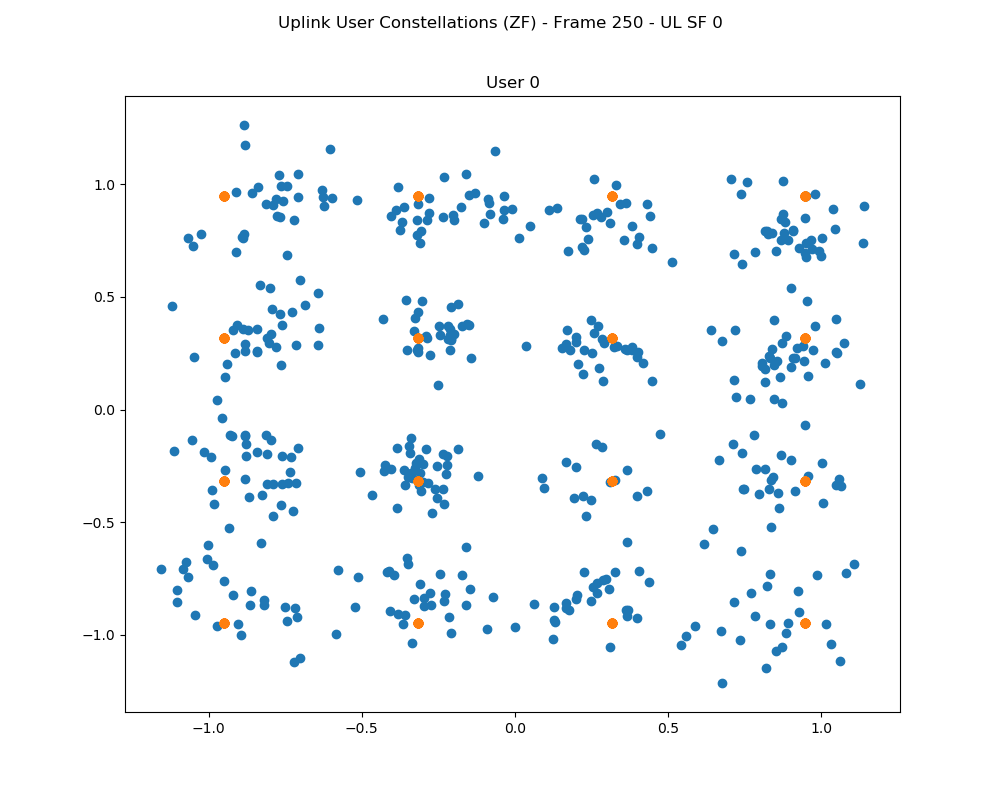
- constellation.png (48.6 KB ) - added by 4 years ago.
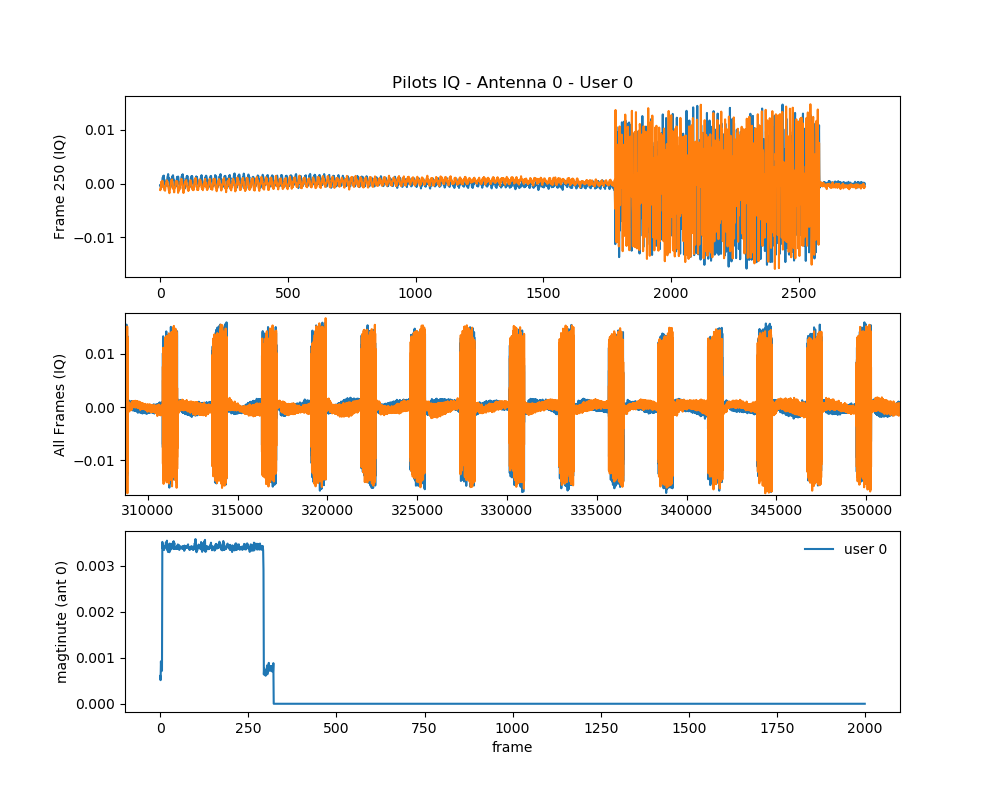
- pilot.png (84.8 KB ) - added by 4 years ago.
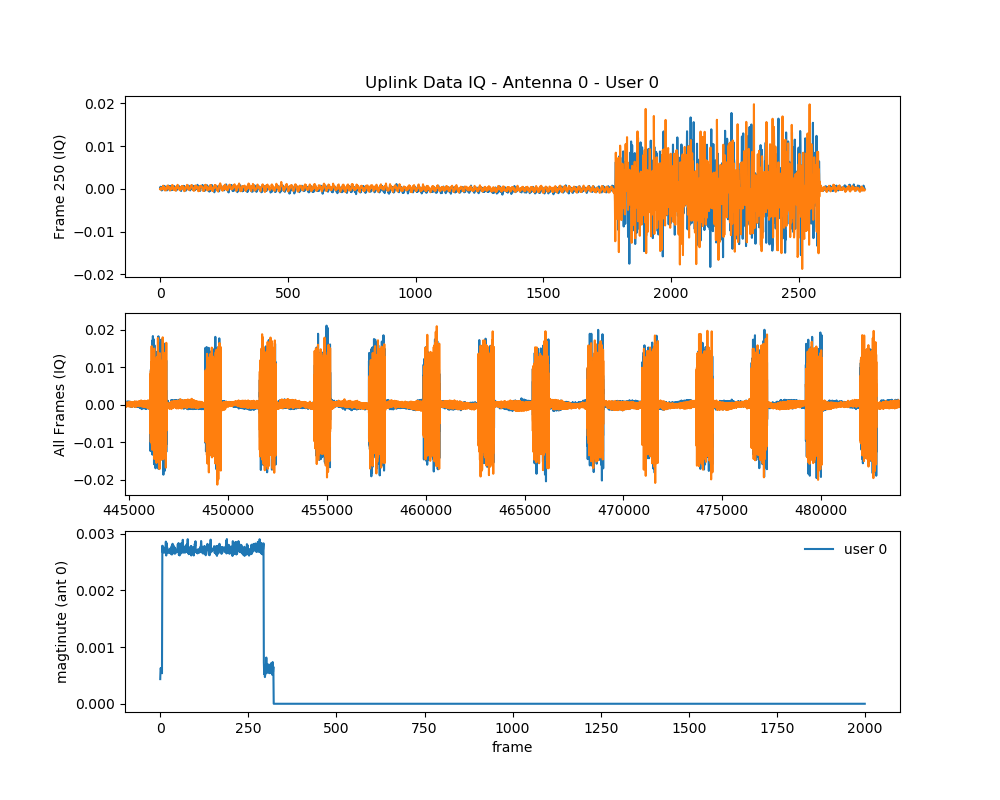
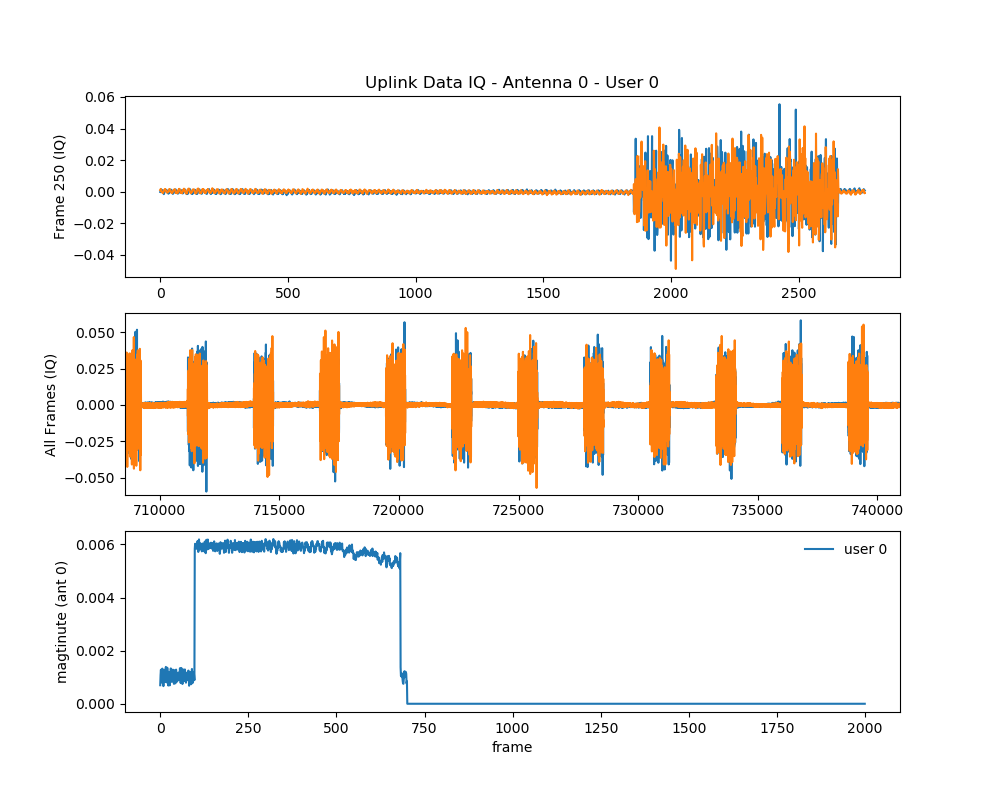
- uplink.png (84.1 KB ) - added by 4 years ago.
- uplink_1.png (84.3 KB ) - added by 4 years ago.
- pilot_1.png (84.2 KB ) - added by 4 years ago.
- constellation_1.png (48.4 KB ) - added by 4 years ago.
Download all attachments as: .zip
Note:
See TracWiki
for help on using the wiki.