| Version 1 (modified by , 3 years ago) ( diff ) |
|---|
Site Navigation
- COSMOS Testbed Overview
- Getting Started
- COSMOS/ORBIT User Guide
- COSMOS Portal
- Account Management
- Portal Dashboard
- Directory
- Disk Images
- Community Forum
- Getting Started with the COSMOS Portal
- SSH Access to Testbed Nodes
- Scheduler
- Testbed Status
- Installing Chrome Remote Desktop (CRD) on a Custom Image
- Tutorials
- Architecture
- Resources, Services and APIs
- Datasets
- Hardware Info
- RF Policies & Compliance
Spectrum visualization with Fosphor
Description
This tutorial illustrates use of RFNoC Fosphor block for spectrum visualization. RFNoC Fosphor block is the FPGA accelerated version of gr-fosphor (CPU/GPU version). As any other RFNoC blocks, RFNoC Fosphor can be instantiated on 3rd generation USRP devices, and can be used in conjunction with gnuradio-companion(GRC) on the host computer. This tutorial demonstrates GRC RFNoC Fosphor application on USRP-2974 in COSMOS testbed.
Running a GRC application on a testbed node requires using graphical user interface(GUI) over SSH. This tutorial also illustrates use of MobaXterm and jumphost to setup X forwarding for accessing GUI over SSH.
Prerequisites
In order to access the test bed, create a reservation and have it approved by the reservation service. Access to the resources is granted after the reservation is confirmed. Please follow the process shown on the COSMOS getting started page to get started.
Resources required
1 USRP-2974 (sdr2-md1 or sdr2-s1-lg1) on COSMOS SB1 or COSMOS bed.
Tutorial Setup
Follow the steps below to gain access to the sandbox 1 console and set up nodes with appropriate images.
- If you don't have one already, sign up for a COSMOS account
- Create a resource reservation on sandbox 1
- Login into sandbox 1 console (console.sb1.cosmos-lab.org) with an SSH session. SSH session for COSMOS SB1 with Moba Xterm can be setup as shown, with remote host = console.sb1.cosmos-lab.org, and username = your COSMOS username. X11 forwarding is enabled to access GUI.

- Make sure all the nodes and devices used in the experiment are turned off:
omf tell -a offh -t sdr2-s1-lg1
- Load rfnoc_fosphor_3_15.ndz on sdr2-s1-lg1.
omf load -i rfnoc_fosphor_3_15.ndz -t sdr2-s1-lg1
- Turn the SDR on and check the status
omf tell -a on -t sdr2-s1-lg1
omf stat -t sdr2-s1-lg1
- Log into the SDR with -Y for X11 forwarding
ssh root@sdr2-s1-lg1 -Y
Configure MobaXterm for node access
Another way to access the SDR is to set up a Moba Xterm session directly to the SDR, with the console as the jump host. As shown in the pictures below, for the SSH session, use remote host = sdr2-s1-lg1.sb1.cosmos-lab.org username = root. Enable X11 forwarding in advanced settings. Set up jump host in network settings, with gateway host = console.sb1.cosmos-lab.org, username = your cosmos username.
The following is displayed when this session runs.
     ┌────────────────────────────────────────────────────────────────────┐
     │                        • MobaXterm 20.6 •                          │
     │            (SSH client, X-server and networking tools)             │
     │                                                                    │
     │ ➤ SSH session to root@sdr2-s1-lg1.sb1.cosmos-lab.org              │
     │   • SSH gateway     : ✔  (myusername@console.sb1.cosmos-lab.org)   │
     │   • SSH compression : ✔                                            │
     │   • SSH-browser     : ✔                                            │
     │   • X11-forwarding  : ✔  (remote display is forwarded through SSH) │
     │   • DISPLAY         : ✔  (automatically set on remote server)      │
     │                                                                    │
     │ ➤ For more info, ctrl+click on help or visit our website          │
     └────────────────────────────────────────────────────────────────────┘

Last login: Fri Dec 11 04:49:36 2020 from 10.106.0.21
root@sdr2-s1-lg1:~#
Experiment Execution
RFNoC Fosphor FPGA image
Custom USRP-2974 FPGA image /bit/rfnoc3_15_fosphor_x310.lvbitx will be used for this tutorial. To use this image with a UHD or GRC application use the fpga-path argument as shown below.
uhd_usrp_probe --args="resource=RIO0,type=x300,fpga-path=/root/bit/rfnoc3_15_fosphor_x310.lvbitx"
Following are the blocks in rfnoc3_15_fosphor_x310.lvbitx
|   |     _____________________________________________________
|   |    /
|   |   |       RFNoC blocks on this device:
|   |   |
|   |   |   * DmaFIFO_0
|   |   |   * Radio_0
|   |   |   * Radio_1
|   |   |   * DDC_0
|   |   |   * DUC_0
|   |   |   * FFT_0
|   |   |   * Window_0
|   |   |   * FIR_0
|   |   |   * SigGen_0
|   |   |   * KeepOneInN_0
|   |   |   * fosphor_0
|   |   |   * FIFO_0
|   |   |   * FIFO_1
Run rfnoc-fosphor GRC application
gnuradio-companion /root/gr-ettus/examples/rfnoc/rfnoc_fosphor.grc
root@sdr2-s1-lg1:~# gnuradio-companion  /root/gr-ettus/examples/rfnoc/rfnoc_fosphor.grc
<<< Welcome to GNU Radio Companion 3.7.14.0 >>>

Block paths:
        /usr/local/share/gnuradio/grc/blocks

Loading: "/root/gr-ettus/examples/rfnoc/rfnoc_fosphor.grc"
>>> Done
With X11 forwarding enabled, GRC should show up as below. Set Device Arguments in the Device3 block to "resource=RIO0,fpga-path=/root/bit/rfnoc3_15_fosphor_x310.lvbitx".
Set center frequency, bandwidth and run the application to see spectrum display.
| |
|
Attachments (7)
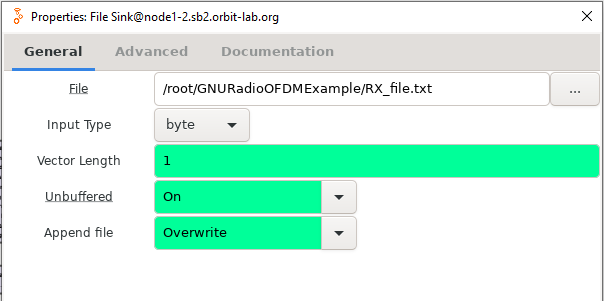
- FileSink.PNG (17.4 KB ) - added by 3 years ago.
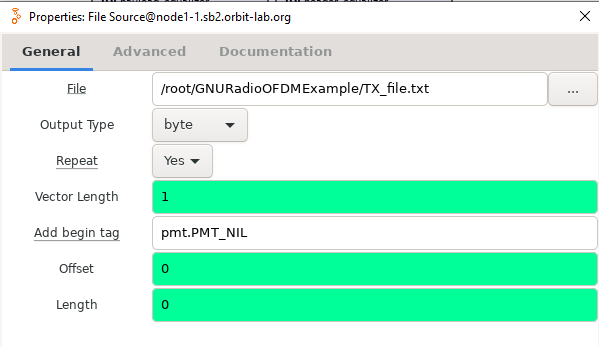
- FileSource.PNG (19.3 KB ) - added by 3 years ago.
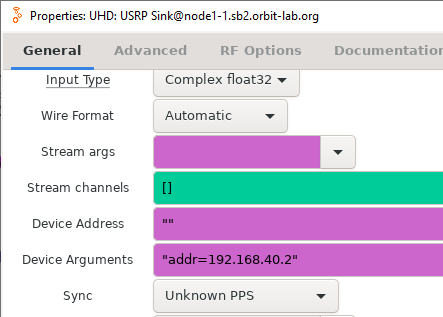
- OFDM_SB2_args.PNG (21.2 KB ) - added by 3 years ago.
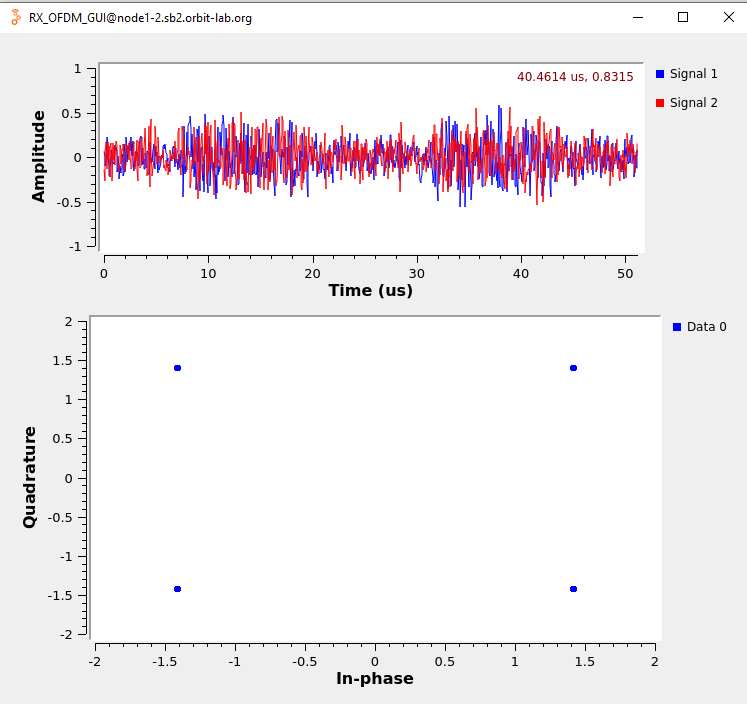
- RX_OFDM_samples.PNG (80.4 KB ) - added by 3 years ago.
- TX_OFDM_grc.PNG (279.8 KB ) - added by 3 years ago.
- TagDebug.PNG (33.6 KB ) - added by 3 years ago.
- RX_OFDM_grc.PNG (350.8 KB ) - added by 3 years ago.
Download all attachments as: .zip